> ## Documentation Index
> Fetch the complete documentation index at: https://docs.consensus.app/llms.txt
> Use this file to discover all available pages before exploring further.
# Skills
> Skills are ready-made research workflows built into the Consensus search bar. Pick one, such as Literature Review or Verify Citations, and Consensus runs the whole task for you as a Deep Review.
A skill is a ready-made workflow for one research task. Instead of writing a long, careful prompt yourself, you pick the skill and type your topic. Consensus then follows the same structured steps every time.
## Run a skill
Click **Skills** in the search bar.
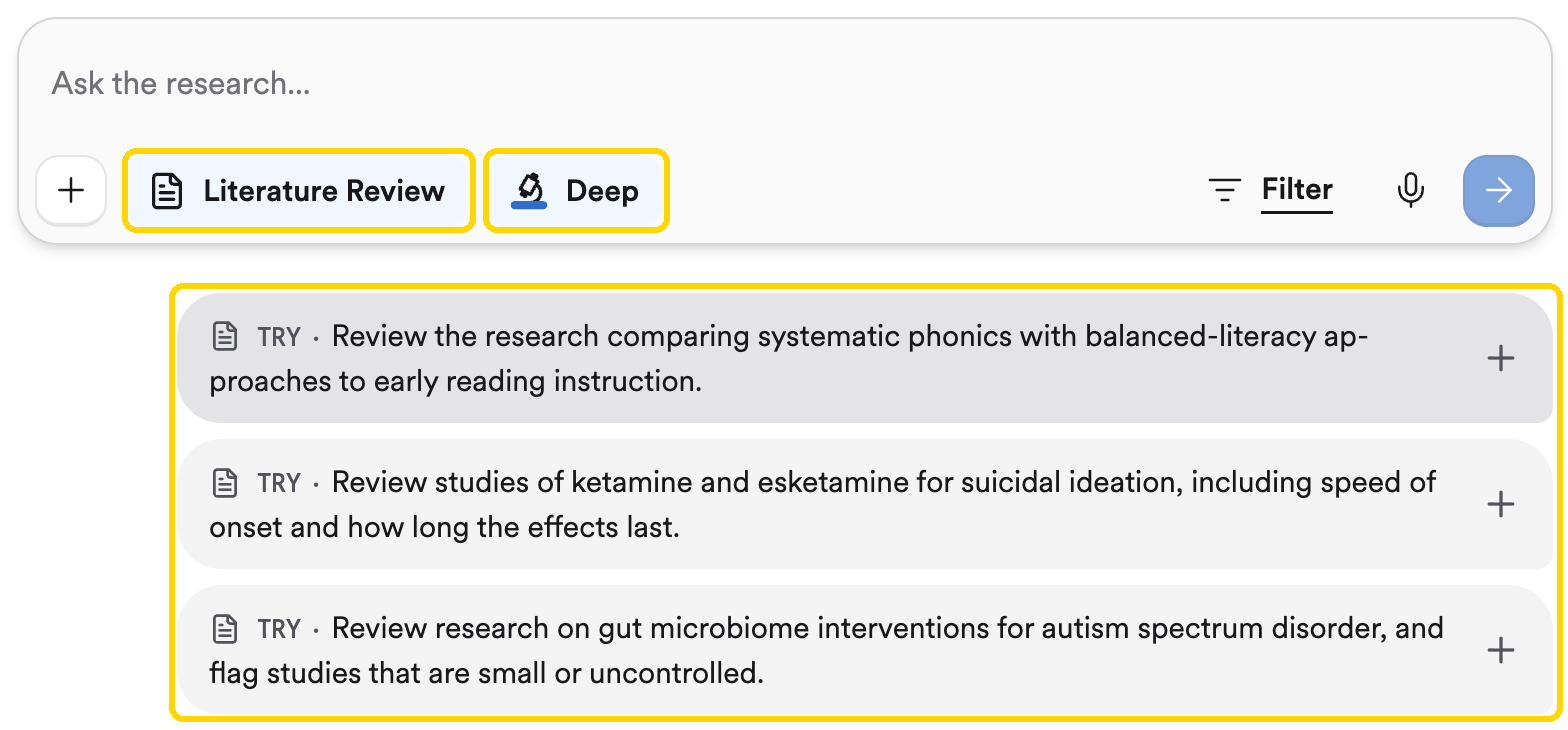
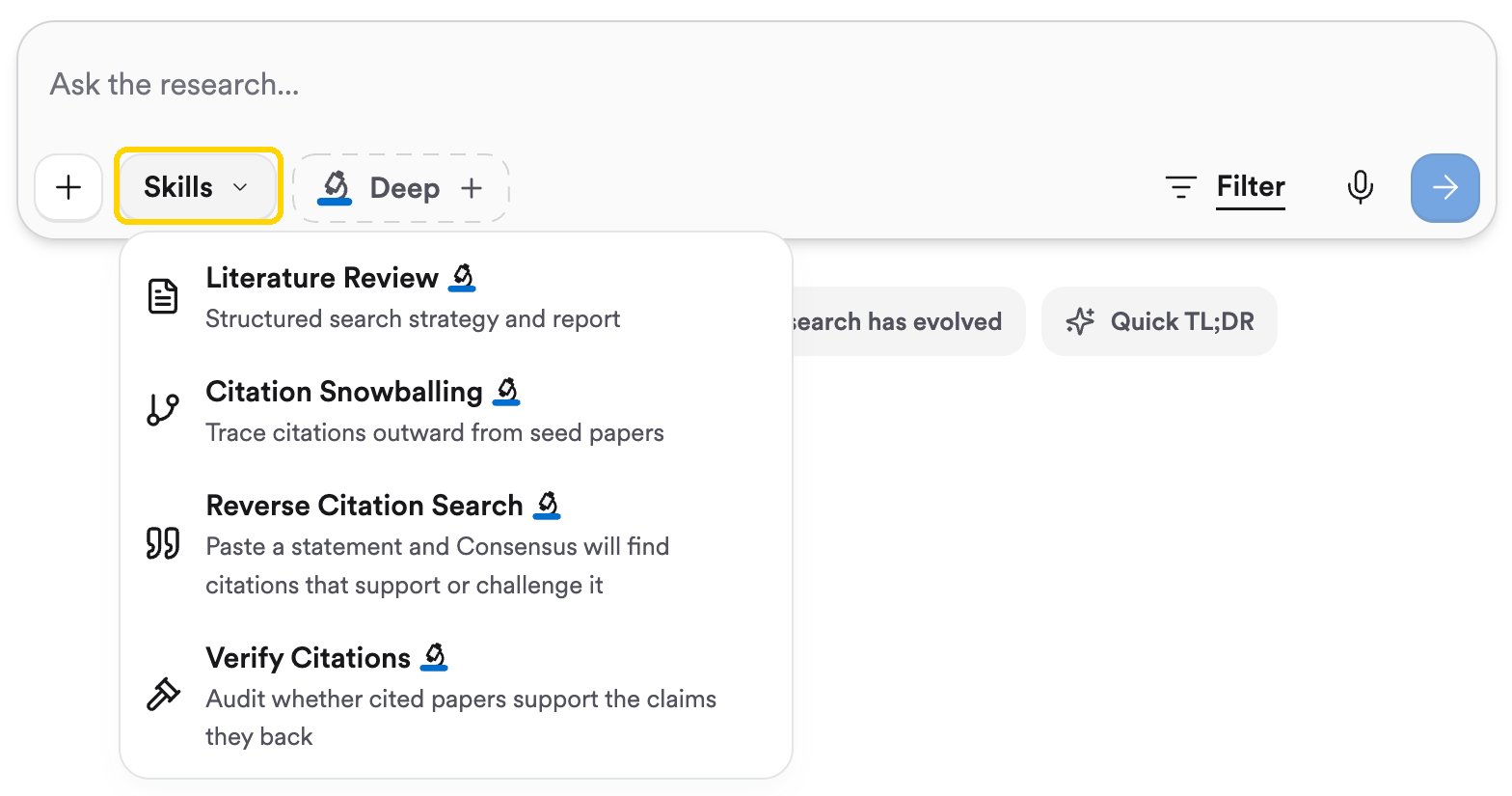 Choose one of the skills below. The **Skills** button changes to show the skill's name, and **Deep** turns on automatically, because every skill runs as a [Deep Review](/core-features/deep-search).
Each skill shows a few **TRY** prompts under the search bar. Click one to see how the skill works, or type your own topic and press Enter.
Choose one of the skills below. The **Skills** button changes to show the skill's name, and **Deep** turns on automatically, because every skill runs as a [Deep Review](/core-features/deep-search).
Each skill shows a few **TRY** prompts under the search bar. Click one to see how the skill works, or type your own topic and press Enter.
 Because skills run as Deep Reviews, each one uses a Deep Review from your plan: 3 per month on Free, 15 on Pro, and 200 on Deep.
## Skills in the search bar
| Skill | What it does | Use it when |
| - | - | - |
| **Literature Review** | Builds a structured search strategy and writes a report on what the research says | You're starting a new topic and need the lay of the land |
| **Citation Snowballing** | Traces citations outward from seed papers you choose | You have one or two key papers and want everything connected to them |
| **Reverse Citation Search** | Takes a statement you paste and finds papers that support or challenge it | You've written a claim and need sources for it |
| **Verify Citations** | Checks whether cited papers actually support the claims they're attached to | You want to audit a draft, or someone else's reference list |
New to a topic? **Literature Review** is the place to start. Run it on your topic after [Run your first search](/get-started/run-your-first-search), then use the report as a map while you work through the rest of this guide.
## Skills for AI assistants
If you use Consensus inside an AI assistant such as Claude or ChatGPT (see [Use Consensus in ChatGPT, Claude or Copilot](/core-features/mcp)), Consensus also publishes skills you can run there:
Surveys an unfamiliar field, breaks your question down with a framework like PICO, searches systematically, and writes a research guide.
Turns a course syllabus into a reading list of recent papers, with a plain-language summary and a discussion question for each.
Positions a research idea, maps it to the right NIH institutes and funding mechanisms, and finds funded projects that overlap with it.
This documentation is built and hosted on [Mintlify](https://mintlify.com), a developer documentation platform.
Because skills run as Deep Reviews, each one uses a Deep Review from your plan: 3 per month on Free, 15 on Pro, and 200 on Deep.
## Skills in the search bar
| Skill | What it does | Use it when |
| - | - | - |
| **Literature Review** | Builds a structured search strategy and writes a report on what the research says | You're starting a new topic and need the lay of the land |
| **Citation Snowballing** | Traces citations outward from seed papers you choose | You have one or two key papers and want everything connected to them |
| **Reverse Citation Search** | Takes a statement you paste and finds papers that support or challenge it | You've written a claim and need sources for it |
| **Verify Citations** | Checks whether cited papers actually support the claims they're attached to | You want to audit a draft, or someone else's reference list |
New to a topic? **Literature Review** is the place to start. Run it on your topic after [Run your first search](/get-started/run-your-first-search), then use the report as a map while you work through the rest of this guide.
## Skills for AI assistants
If you use Consensus inside an AI assistant such as Claude or ChatGPT (see [Use Consensus in ChatGPT, Claude or Copilot](/core-features/mcp)), Consensus also publishes skills you can run there:
Surveys an unfamiliar field, breaks your question down with a framework like PICO, searches systematically, and writes a research guide.
Turns a course syllabus into a reading list of recent papers, with a plain-language summary and a discussion question for each.
Positions a research idea, maps it to the right NIH institutes and funding mechanisms, and finds funded projects that overlap with it.
This documentation is built and hosted on [Mintlify](https://mintlify.com), a developer documentation platform.