> ## Documentation Index
> Fetch the complete documentation index at: https://docs.consensus.app/llms.txt
> Use this file to discover all available pages before exploring further.
# Microsoft Copilot Studio
> Add the Consensus MCP server as a Model Context Protocol tool in Copilot Studio, with per-user OAuth or a shared API key, so your own agents can search 220 million papers.
Copilot Studio connects to remote MCP servers directly, so you can give any agent you build the Consensus `search` tool. The tool can be shared with other makers in your environment. Copilot Studio supports the Streamable HTTP transport only, which is what Consensus uses.
## Add the tool
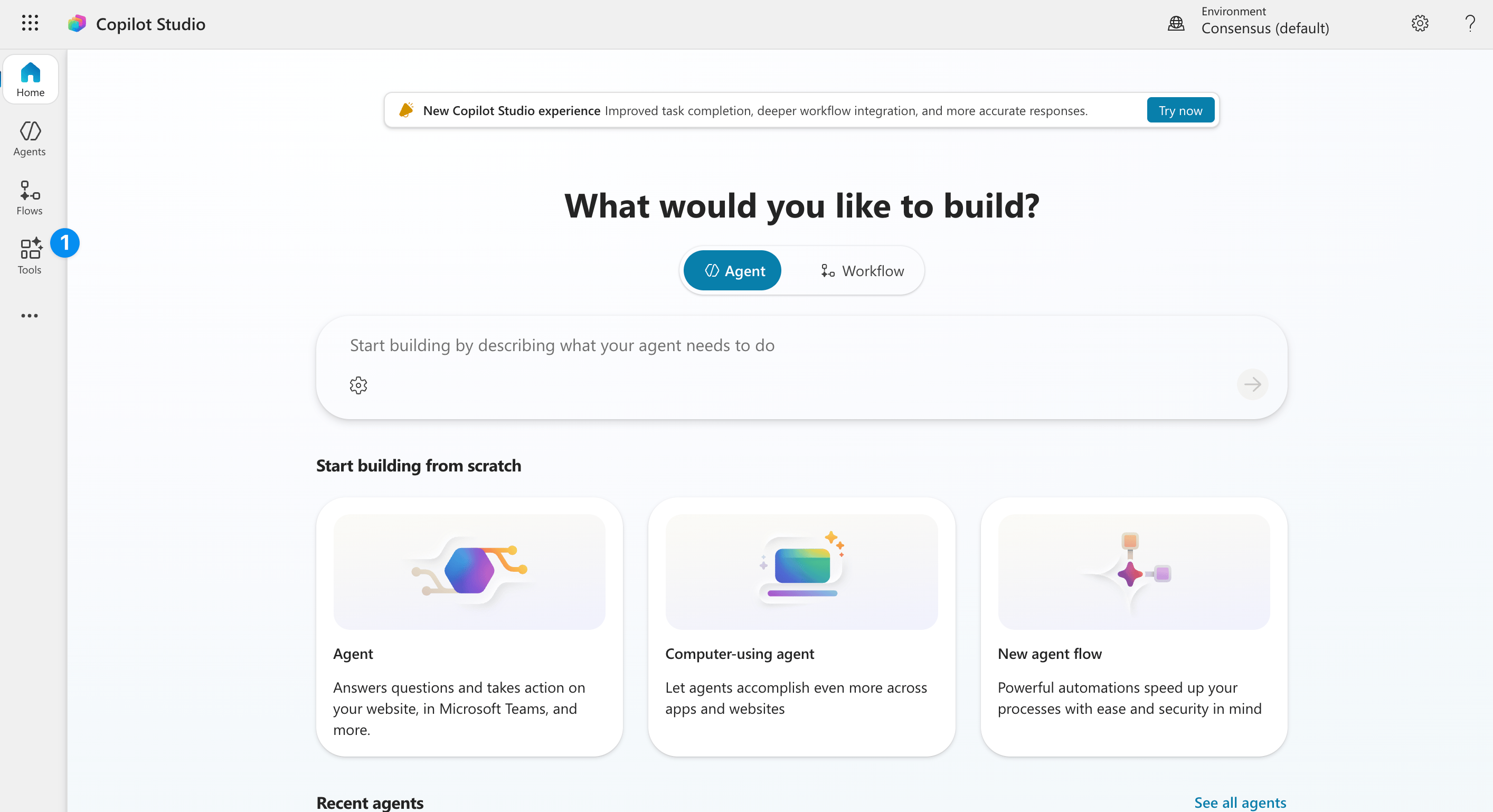
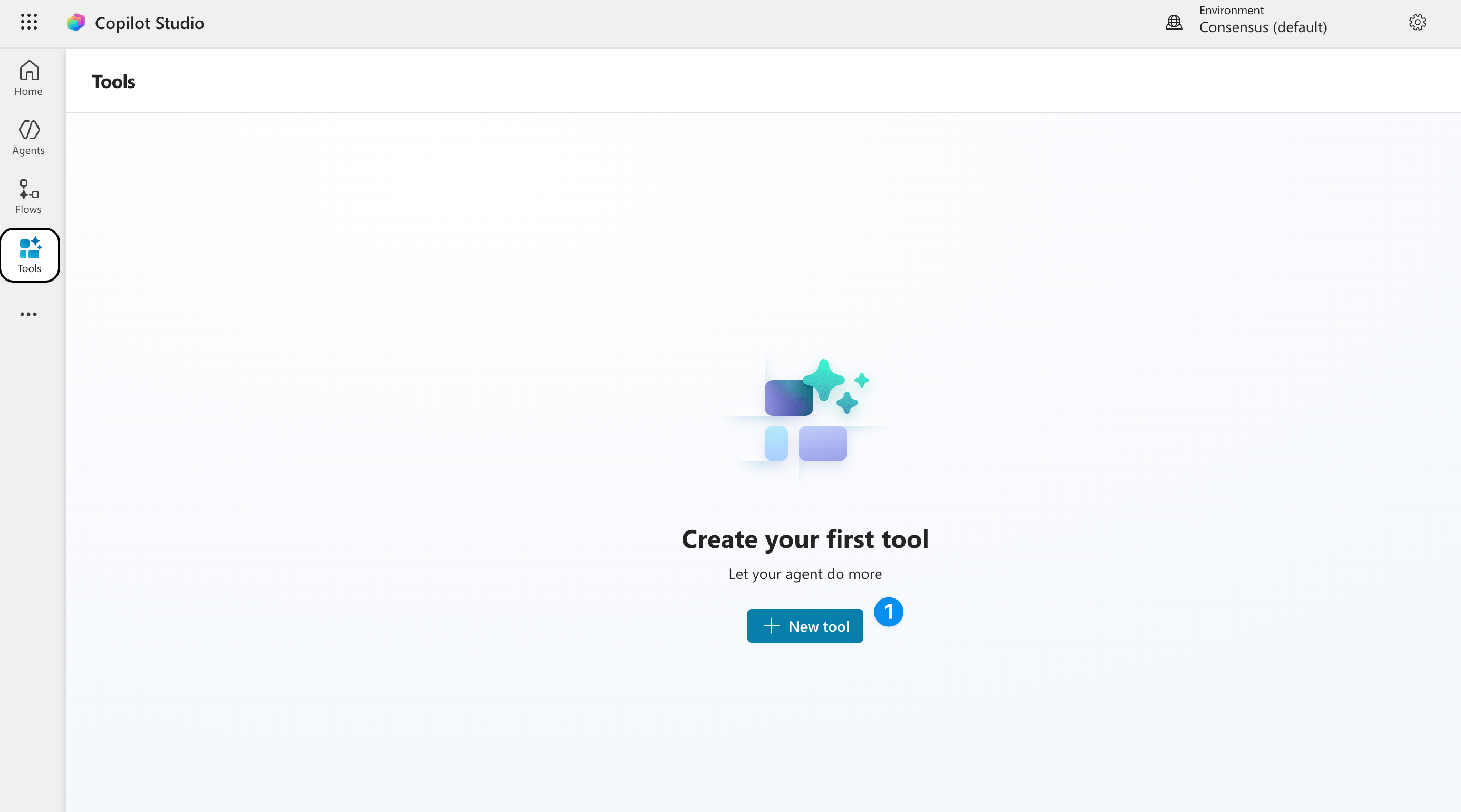
Open your agent in [Copilot Studio](https://copilotstudio.microsoft.com) and go to the **Tools** page.
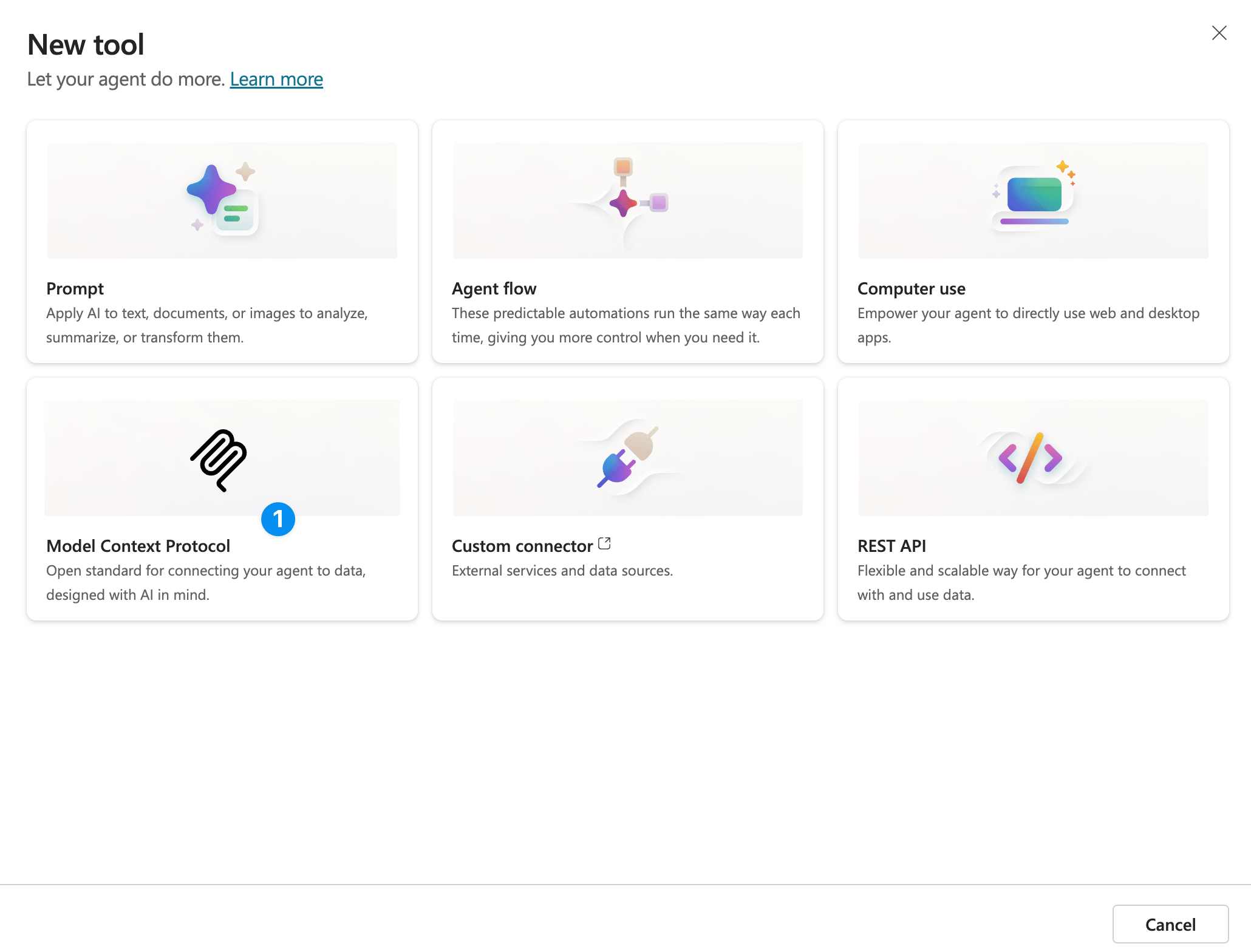
 Select **Add a tool**, then **New tool**.
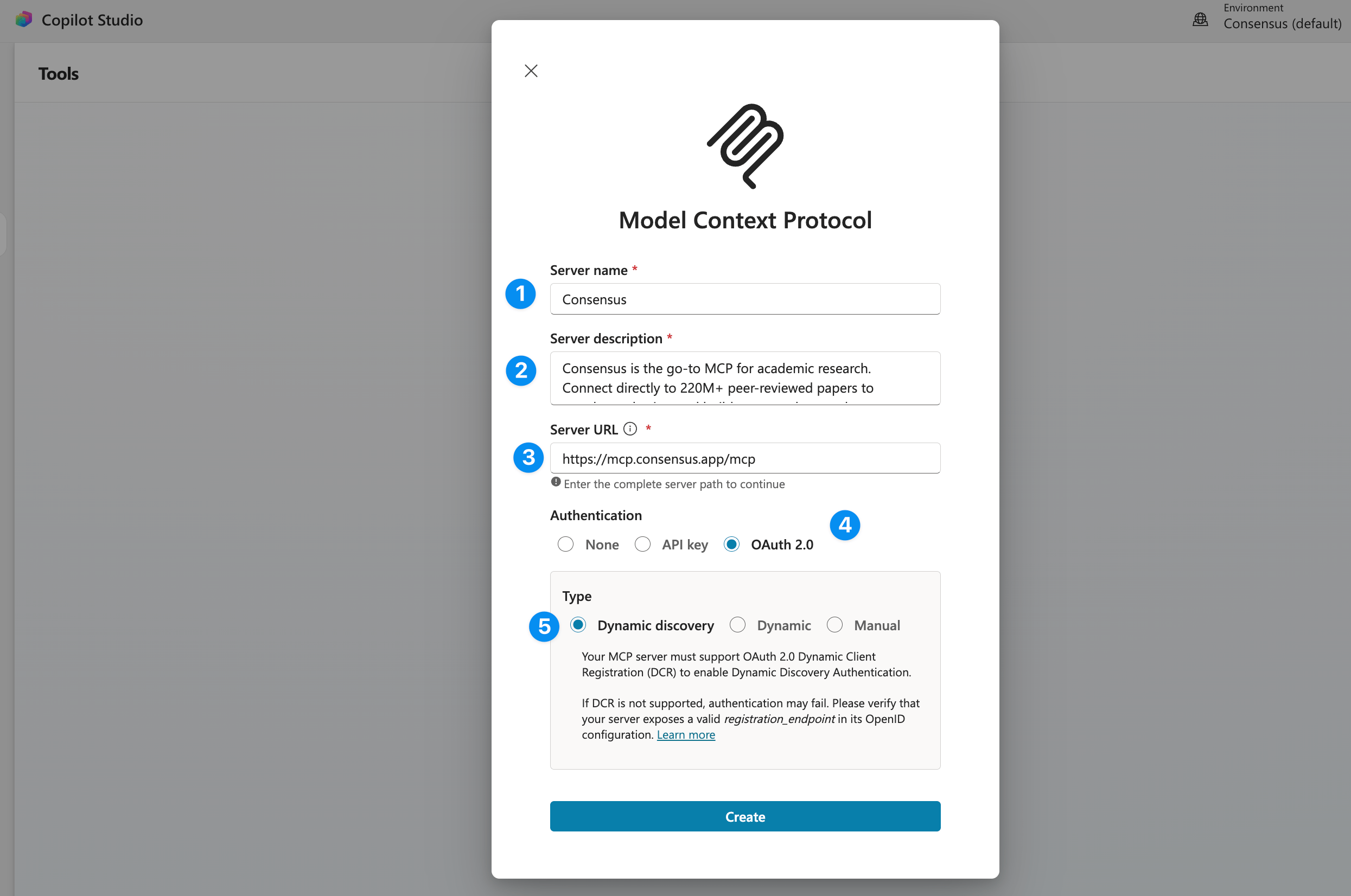 | Field | Value |
| ---------------------- | ---------------------------------------------------------------------------------------------------------------------------------------------------------------------------------------------------------------------------------------------------------------------------------------------------------------- |
| **Server name** | Consensus |
| **Server description** | Consensus is the go-to MCP for academic research. Search 220M+ peer-reviewed papers from PubMed, Semantic Scholar, and ArXiv — filter by study type (RCTs, meta-analyses, systematic reviews), journal quality, sample size, and more. Get structured results with citations, study takeaways, and direct links. |
| **Server URL** | `https://mcp.consensus.app/mcp` |
| **Authentication** | See the two options below |
Select **Create**. On **Add tool**, choose **Create a new connection** (or reuse one), then **Add to agent**.
## Choose an authentication option
Set **Authentication** to **OAuth 2.0** and **Type** to **Dynamic discovery**. Copilot Studio reads our discovery document, registers itself with Dynamic Client Registration, and prompts each user to sign in to their own Consensus account the first time they use the tool. Usage and limits follow each user's Consensus plan.
Copilot Studio's registration call comes from Power Platform infrastructure, so `https://consensus.app/oauth/register/` must be reachable from there (it is, unless your network policy blocks it).
Set **Authentication** to **API key**, **Type** to **Header**, and the header name to `Authorization`. When you create the connection, enter the value as `Bearer ` followed by your key:
```text theme={null}
Bearer ak_live_...
```
Every user of the agent then searches through the same Consensus account and its plan limits. Generate the key from your Consensus profile icon → **API & MCP Dashboard** → **Keys and clients** → **New key**.
If your organization requires a client ID and client secret (the **Manual** OAuth type), Consensus provisions confidential clients for enterprise partners. [Contact sales](https://consensus.app/home/contact/sales/). Don't use Manual with a Dynamic-Client-Registration client: token refresh will fail and calls will start returning 401 on the second turn.
## Do I have Copilot Studio access?
Go to [copilotstudio.microsoft.com](https://copilotstudio.microsoft.com) and sign in with your work account. If the **Home** page loads, you're licensed. A Microsoft 365 Copilot license lets you use Copilot Studio to extend Copilot with agents; otherwise your admin assigns the **Copilot Studio user license** from **Users › Active users › Manage product licenses**. Users of your agents don't need a Copilot Studio license.
## Related
Endpoint, OAuth details, and the allowlist.
Enable the built-in connector instead of building a tool.
| Field | Value |
| ---------------------- | ---------------------------------------------------------------------------------------------------------------------------------------------------------------------------------------------------------------------------------------------------------------------------------------------------------------- |
| **Server name** | Consensus |
| **Server description** | Consensus is the go-to MCP for academic research. Search 220M+ peer-reviewed papers from PubMed, Semantic Scholar, and ArXiv — filter by study type (RCTs, meta-analyses, systematic reviews), journal quality, sample size, and more. Get structured results with citations, study takeaways, and direct links. |
| **Server URL** | `https://mcp.consensus.app/mcp` |
| **Authentication** | See the two options below |
Select **Create**. On **Add tool**, choose **Create a new connection** (or reuse one), then **Add to agent**.
## Choose an authentication option
Set **Authentication** to **OAuth 2.0** and **Type** to **Dynamic discovery**. Copilot Studio reads our discovery document, registers itself with Dynamic Client Registration, and prompts each user to sign in to their own Consensus account the first time they use the tool. Usage and limits follow each user's Consensus plan.
Copilot Studio's registration call comes from Power Platform infrastructure, so `https://consensus.app/oauth/register/` must be reachable from there (it is, unless your network policy blocks it).
Set **Authentication** to **API key**, **Type** to **Header**, and the header name to `Authorization`. When you create the connection, enter the value as `Bearer ` followed by your key:
```text theme={null}
Bearer ak_live_...
```
Every user of the agent then searches through the same Consensus account and its plan limits. Generate the key from your Consensus profile icon → **API & MCP Dashboard** → **Keys and clients** → **New key**.
If your organization requires a client ID and client secret (the **Manual** OAuth type), Consensus provisions confidential clients for enterprise partners. [Contact sales](https://consensus.app/home/contact/sales/). Don't use Manual with a Dynamic-Client-Registration client: token refresh will fail and calls will start returning 401 on the second turn.
## Do I have Copilot Studio access?
Go to [copilotstudio.microsoft.com](https://copilotstudio.microsoft.com) and sign in with your work account. If the **Home** page loads, you're licensed. A Microsoft 365 Copilot license lets you use Copilot Studio to extend Copilot with agents; otherwise your admin assigns the **Copilot Studio user license** from **Users › Active users › Manage product licenses**. Users of your agents don't need a Copilot Studio license.
## Related
Endpoint, OAuth details, and the allowlist.
Enable the built-in connector instead of building a tool.