> ## Documentation Index
> Fetch the complete documentation index at: https://docs.consensus.app/llms.txt
> Use this file to discover all available pages before exploring further.
# Save papers to your Library
> Bookmark papers and searches as you go, and keep them in a Collection for your project so nothing gets lost.
You'll find dozens of useful papers in your first week. **My Library** keeps them in one place, so you aren't relying on open tabs or your browser history. It's free on every plan and private to you.
## Step 1: Save a paper
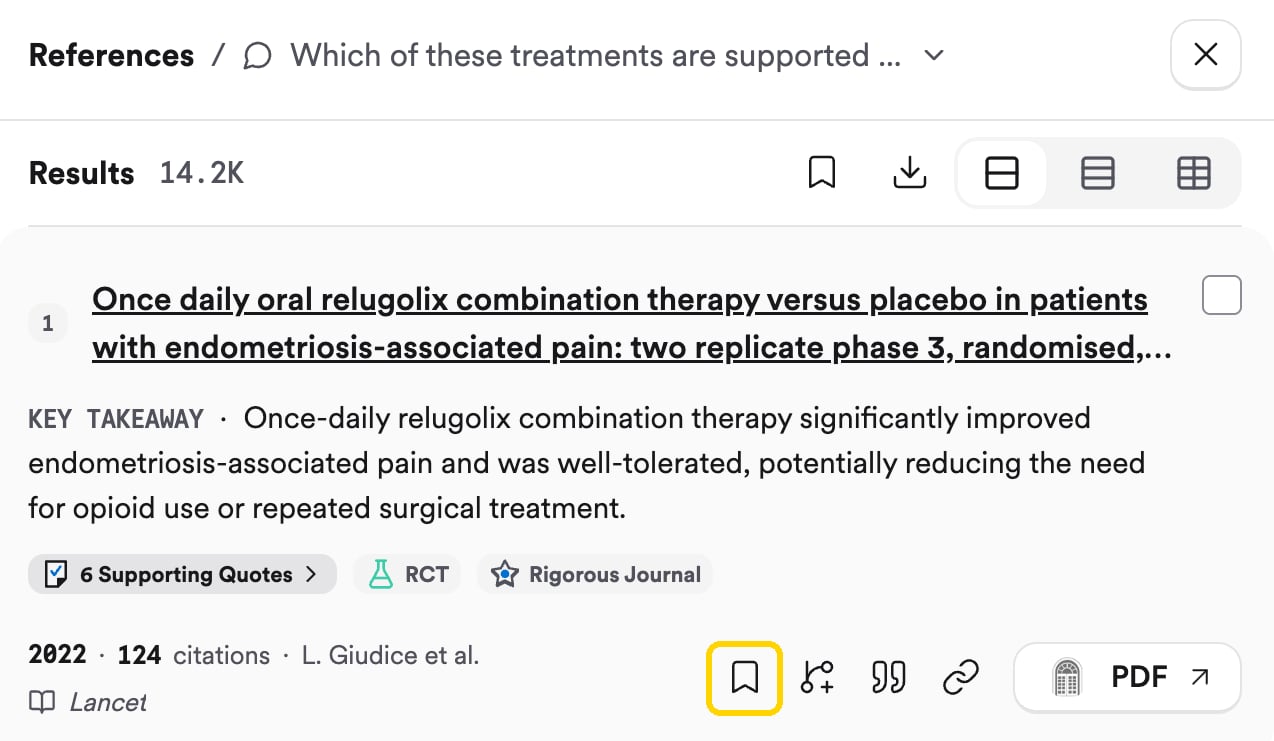
With a search open, hover any paper in the **References** panel and click the **bookmark** icon. That saves the paper to **My Library** straight away, and opens a menu where you can also add it to a Collection or create a new one. It's easy to miss, but it's the quickest way to keep a paper you want to come back to.
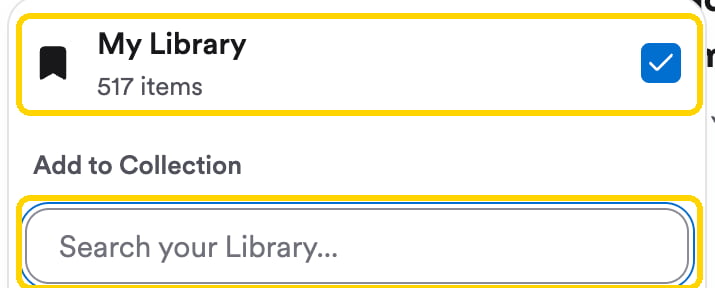
 The same menu appears when you click **Save** at the bottom of a paper's details panel (open it by clicking the paper's **Supporting Quotes**). Tick a Collection to file the paper there, or type in the search box to find one.
 To save the whole search, including the answer, click the bookmark at the top of the thread.
## Step 2: Make a Collection for your project
A **Collection** is a folder of papers. Make one for your research project and save everything relevant to it there.
To save the whole search, including the answer, click the bookmark at the top of the thread.
## Step 2: Make a Collection for your project
A **Collection** is a folder of papers. Make one for your research project and save everything relevant to it there.
 ## Step 3: Find it again
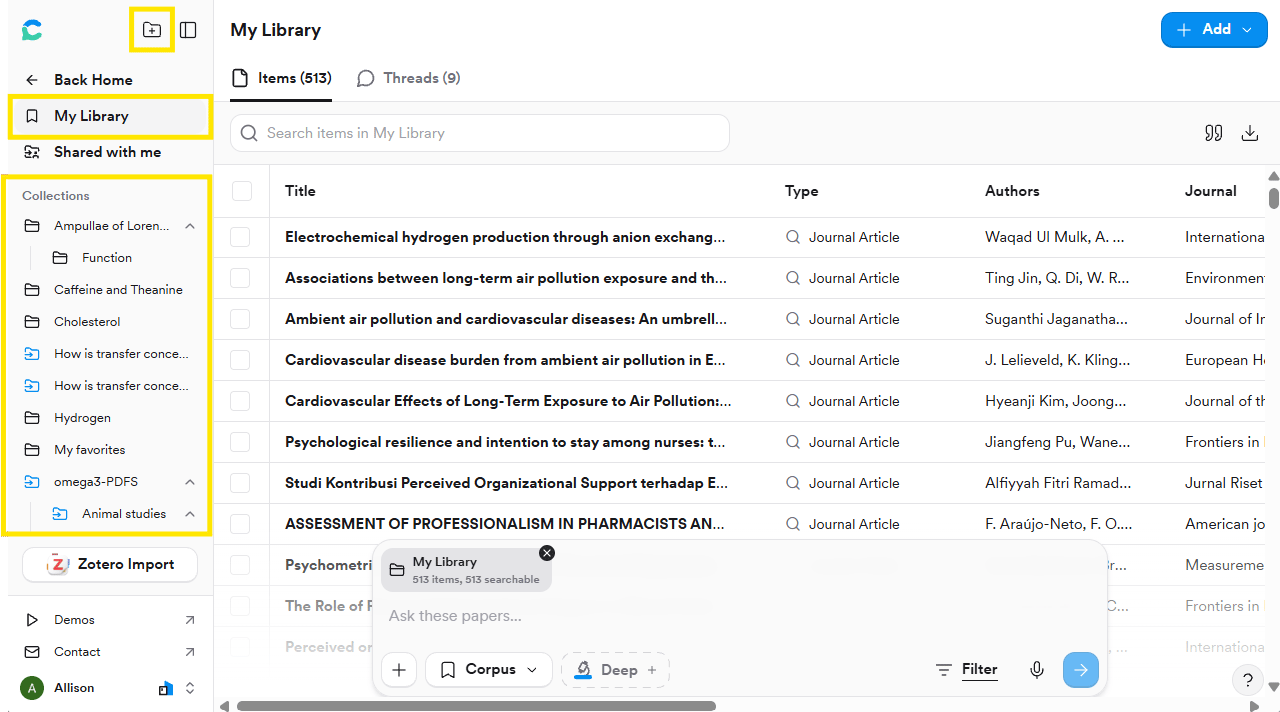
Open **My Library** from the left sidebar in Consensus. Click a Collection to see its papers, and sort them by title, author, year, or study design.
## Try it on your topic
Create a Collection named after your project and save at least 5 papers from your searches so far.
**You should now have:** a Collection for your project with your first papers in it. You'll build on it in [Organise and find gaps](/learn/build-collections).
Upload PDFs, import from Zotero, share a Collection, export a bibliography, and ask questions of your saved papers. See [Library](/core-features/library).
This documentation is built and hosted on [Mintlify](https://mintlify.com), a developer documentation platform.
## Step 3: Find it again
Open **My Library** from the left sidebar in Consensus. Click a Collection to see its papers, and sort them by title, author, year, or study design.
## Try it on your topic
Create a Collection named after your project and save at least 5 papers from your searches so far.
**You should now have:** a Collection for your project with your first papers in it. You'll build on it in [Organise and find gaps](/learn/build-collections).
Upload PDFs, import from Zotero, share a Collection, export a bibliography, and ask questions of your saved papers. See [Library](/core-features/library).
This documentation is built and hosted on [Mintlify](https://mintlify.com), a developer documentation platform.