> ## Documentation Index
> Fetch the complete documentation index at: https://docs.consensus.app/llms.txt
> Use this file to discover all available pages before exploring further.
# Connect Microsoft 365 Copilot Studio
> Add Consensus as a custom MCP tool in Microsoft Copilot Studio.
This allows you to add Consensus as a custom tool in Copilot studio so it can be used with agents or other automations you have have. This type of authentication will
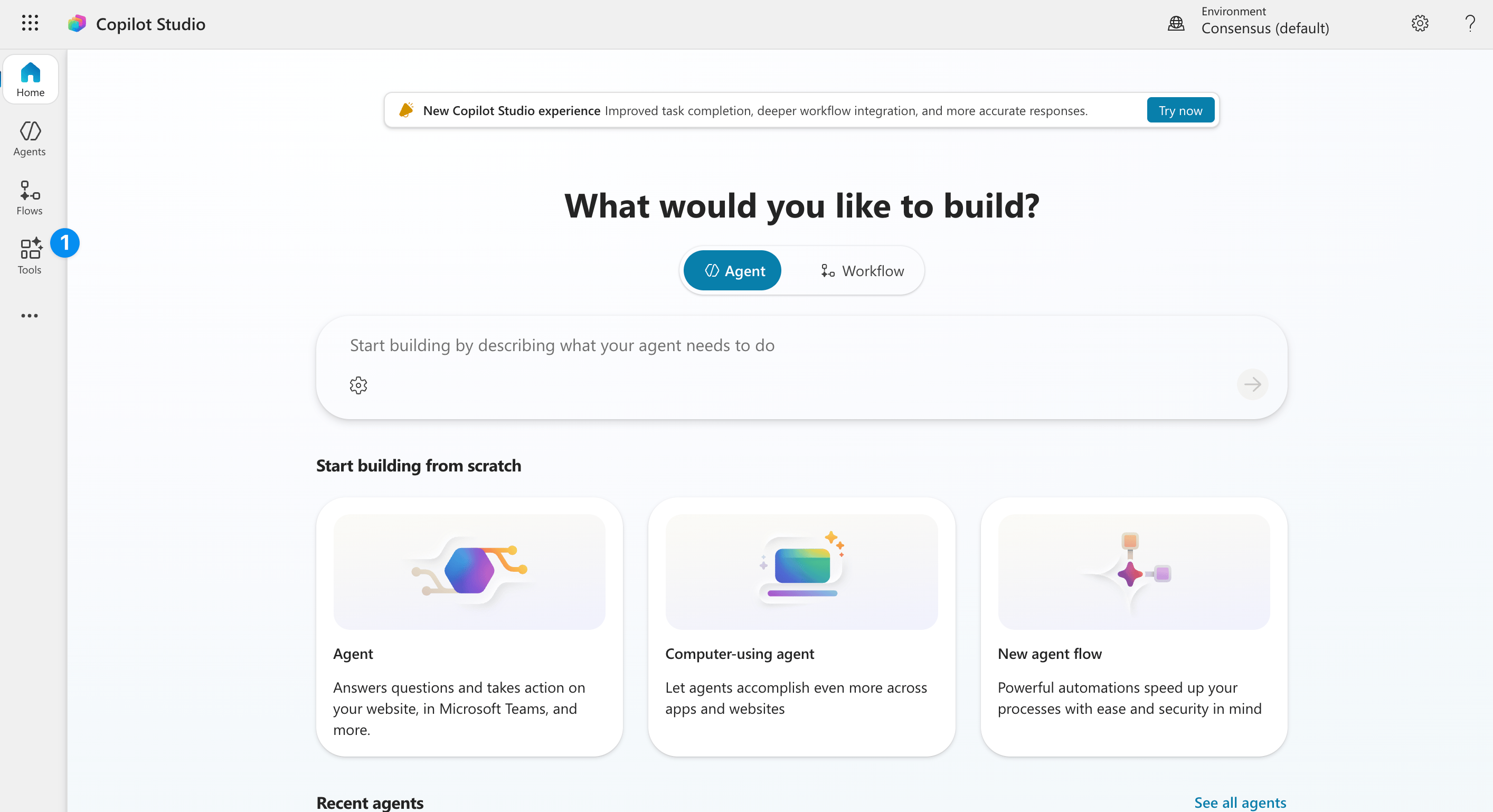
Go to Copilot studio and find the 'tools' tab on the left hand side.
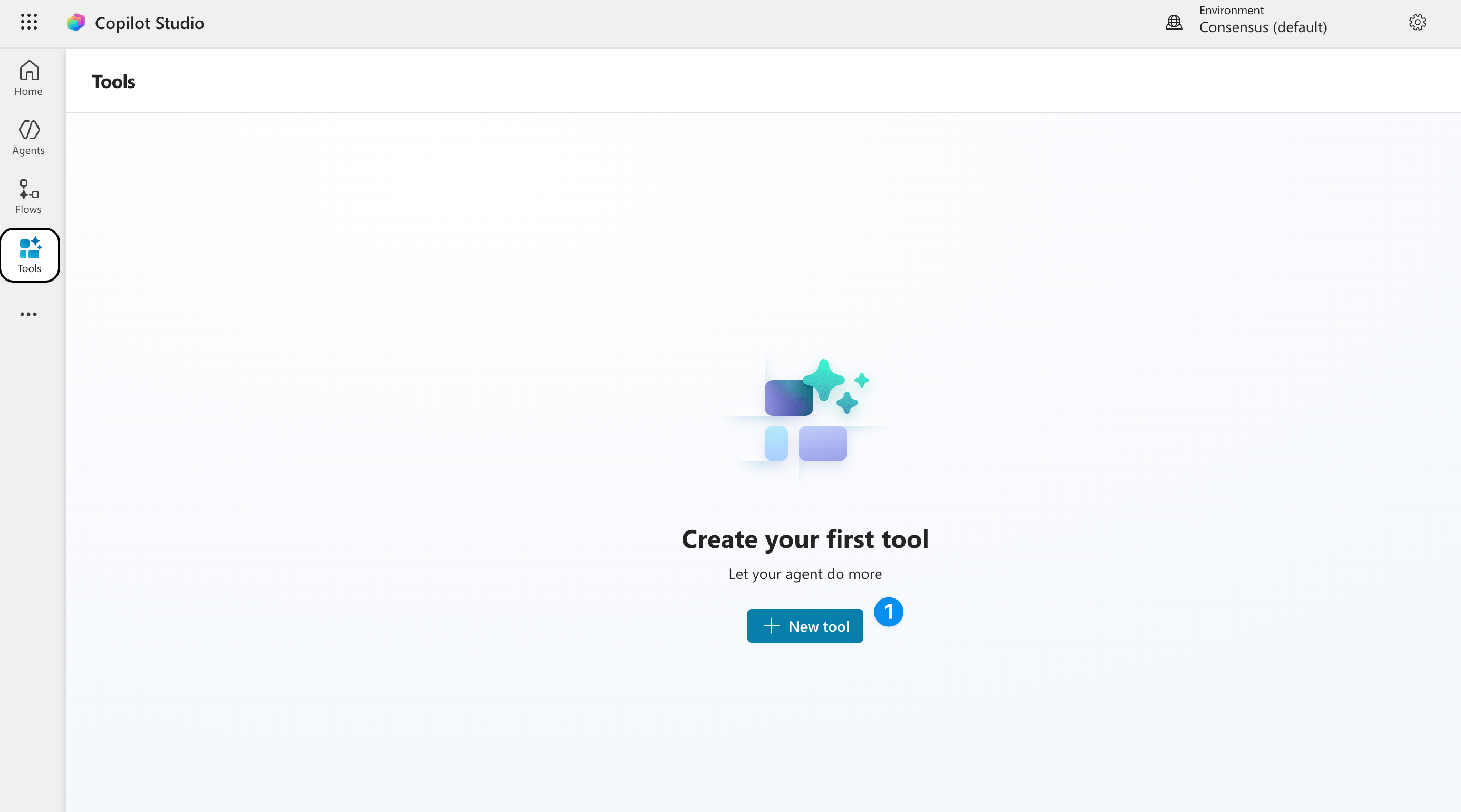 Click 'new tool' to add a custom tool
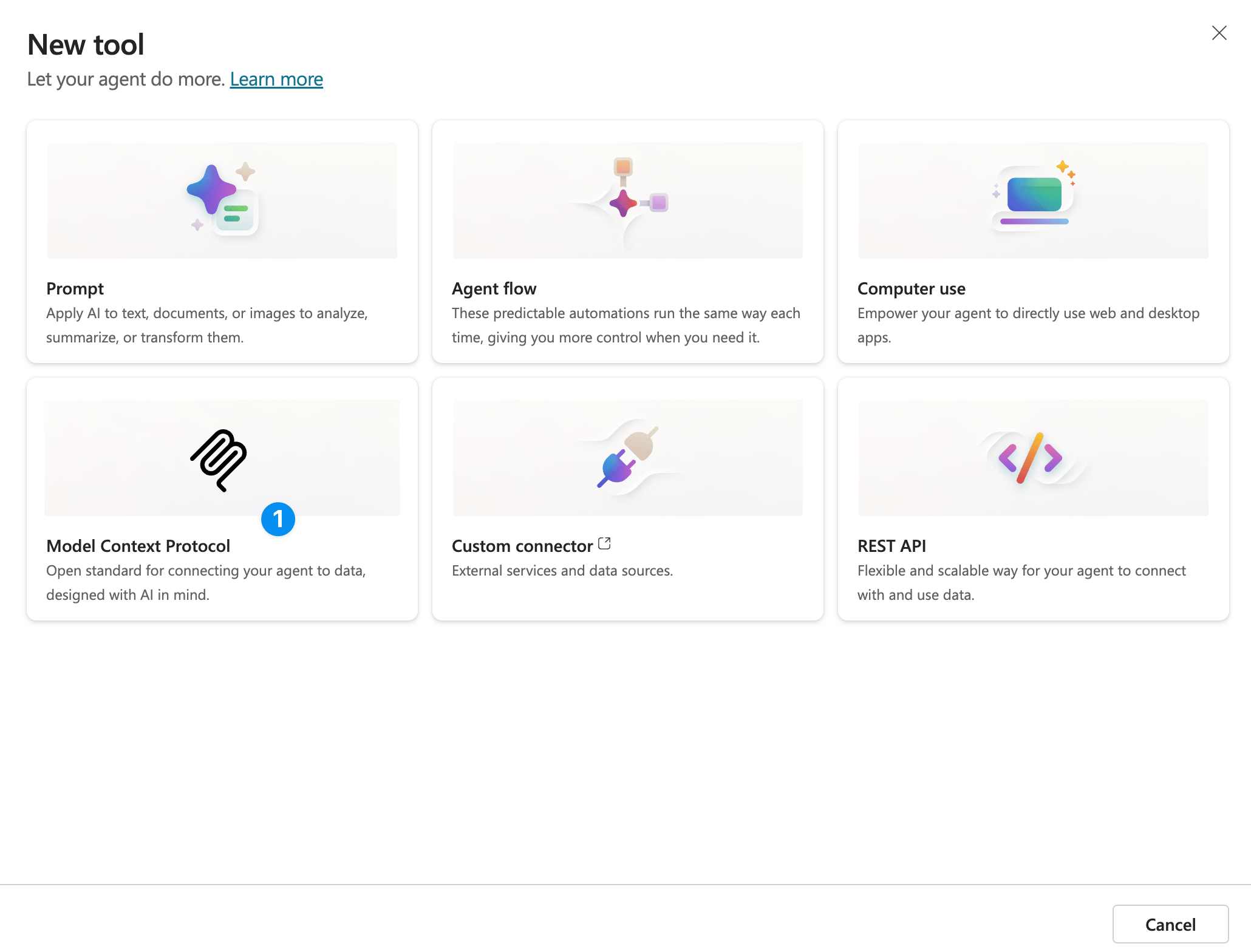 You can also use the API to do this. But to use the MCP, click 'model context protocol'.
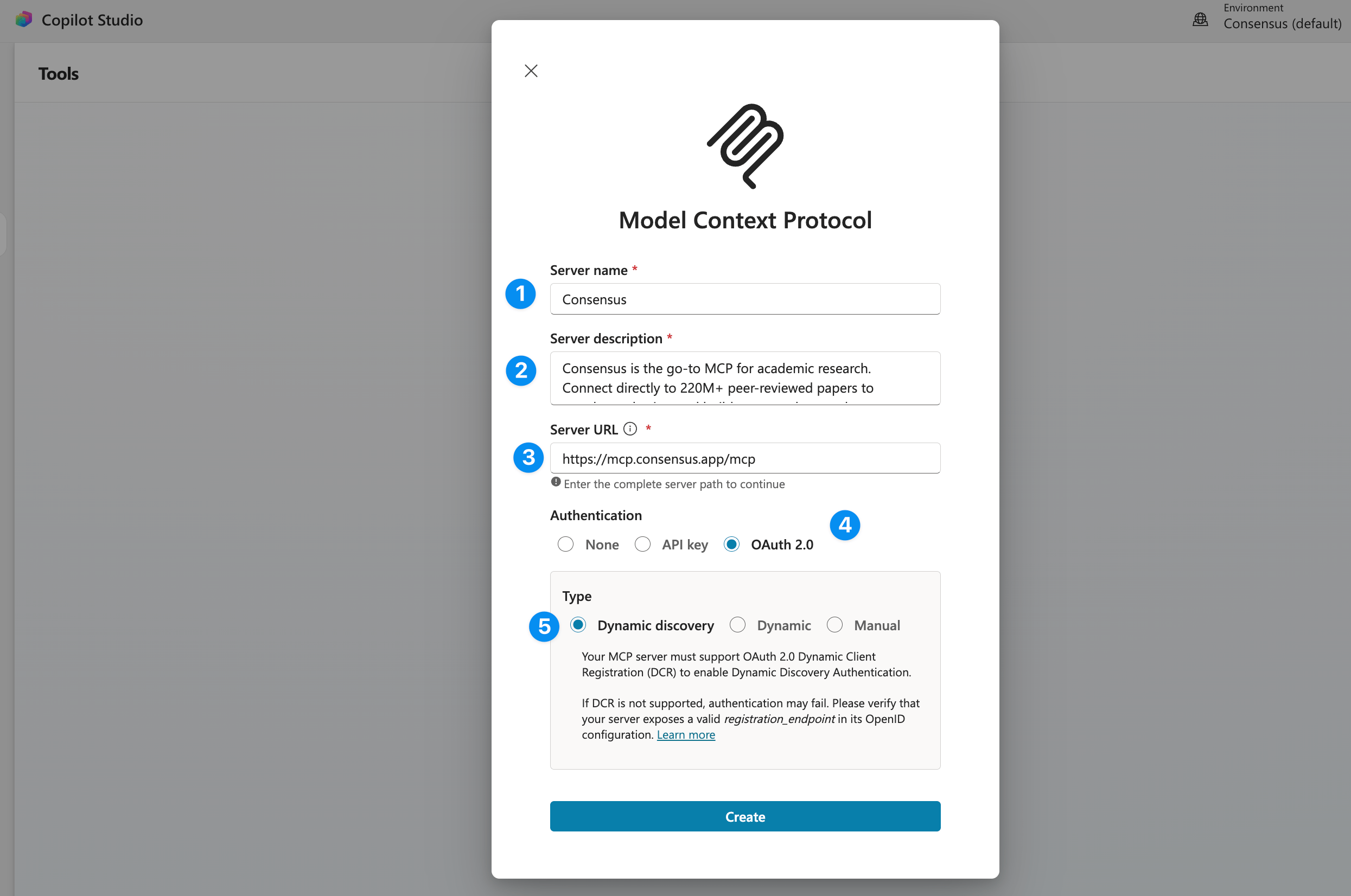 **Server name**
Consensus
**Server Description**
Consensus is the go-to MCP for academic research. Search 220M+ peer-reviewed papers from PubMed, Semantic Scholar, and ArXiv — filter by study type (RCTs, meta-analyses, systematic reviews), journal quality, sample size, and more. Get structured results with citations, study takeaways, and direct links, or run pre-built workflows for literature reviews, grant research, and evidence synthesis.
**Server URL**
[https://mcp.consensus.app/mcp](https://mcp.consensus.app/mcp)
**Authentication**
OAuth 2.0
**Type**
Dynamic Discovery
Thats it! This custom tool can now be used and shared with other team members. Each team member will be able to connect to their own Consensus account when they use the tool.
A [Consensus account](https://consensus.app/sign-up) is required. It is free to create.
## Next
Run a test search and fix common setup issues.
Papers per search, monthly calls, and rate limits for each plan.
**Server name**
Consensus
**Server Description**
Consensus is the go-to MCP for academic research. Search 220M+ peer-reviewed papers from PubMed, Semantic Scholar, and ArXiv — filter by study type (RCTs, meta-analyses, systematic reviews), journal quality, sample size, and more. Get structured results with citations, study takeaways, and direct links, or run pre-built workflows for literature reviews, grant research, and evidence synthesis.
**Server URL**
[https://mcp.consensus.app/mcp](https://mcp.consensus.app/mcp)
**Authentication**
OAuth 2.0
**Type**
Dynamic Discovery
Thats it! This custom tool can now be used and shared with other team members. Each team member will be able to connect to their own Consensus account when they use the tool.
A [Consensus account](https://consensus.app/sign-up) is required. It is free to create.
## Next
Run a test search and fix common setup issues.
Papers per search, monthly calls, and rate limits for each plan.