> ## Documentation Index
> Fetch the complete documentation index at: https://docs.consensus.app/llms.txt
> Use this file to discover all available pages before exploring further.
# Catch up on a fast-moving field
> Fifty new papers a week and no time to read them. Build a what's-new-and-what's-strongest digest grouped by approach, then drill into the winning papers.
You don't need to read every new paper. You need to know what's new, organized by approach, and which approaches actually have evidence behind them. The example: techniques for reducing hallucinations in large language models since 2024.
**You'll learn how to:**
1. Run a recency-filtered search with results grouped by approach
2. Rank approaches by empirical support across studies
3. Drill into the strongest papers and jump straight to the passage in the PDF
## Step 1: Recent evidence, grouped by approach
```text theme={null}
What is the most compelling evidence for methods of reducing hallucinations in
large language models published since 2024? Group them by approach.
```
Research Agent runs parallel searches, all with a **2024+** filter, narrows over 2 million candidates to 185 relevant papers, and shortlists 20. The answer groups methods into families with key claims, supporting evidence, and a table of mechanisms and reported effects.
Consensus includes preprints by default, which keeps fast-moving fields current. Toggle them off in the filters if you only want peer-reviewed work.
## Step 2: Rank the approaches
```text theme={null}
Which approach has the most evidence? Break down the methods and rank the key
claims by strength of evidence.
```
Consensus re-reads the previous thread, weighs each approach, and ranks claims by how many papers support them and how thorough the studies are.
## Step 3: Compare specific papers
Open **References**, tick three papers you want to go deeper on, and ask:
```text theme={null}
Compare the different methods and results in each of these three papers.
```
With the papers attached, Consensus reads all three in full. Hover any citation to see the source passage; click **Show in paper** to open the PDF at that spot.
## Turn preprints off (or leave them on)
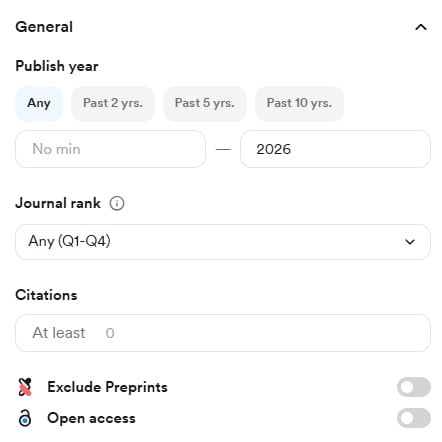
Preprints keep fast-moving fields current but haven't been peer reviewed. They're labeled in results. To exclude them, open **Filter** and switch on **Exclude preprints** under General. The same panel has **Open access**, which limits results to papers with viewable full text.
## Attach papers directly from the results
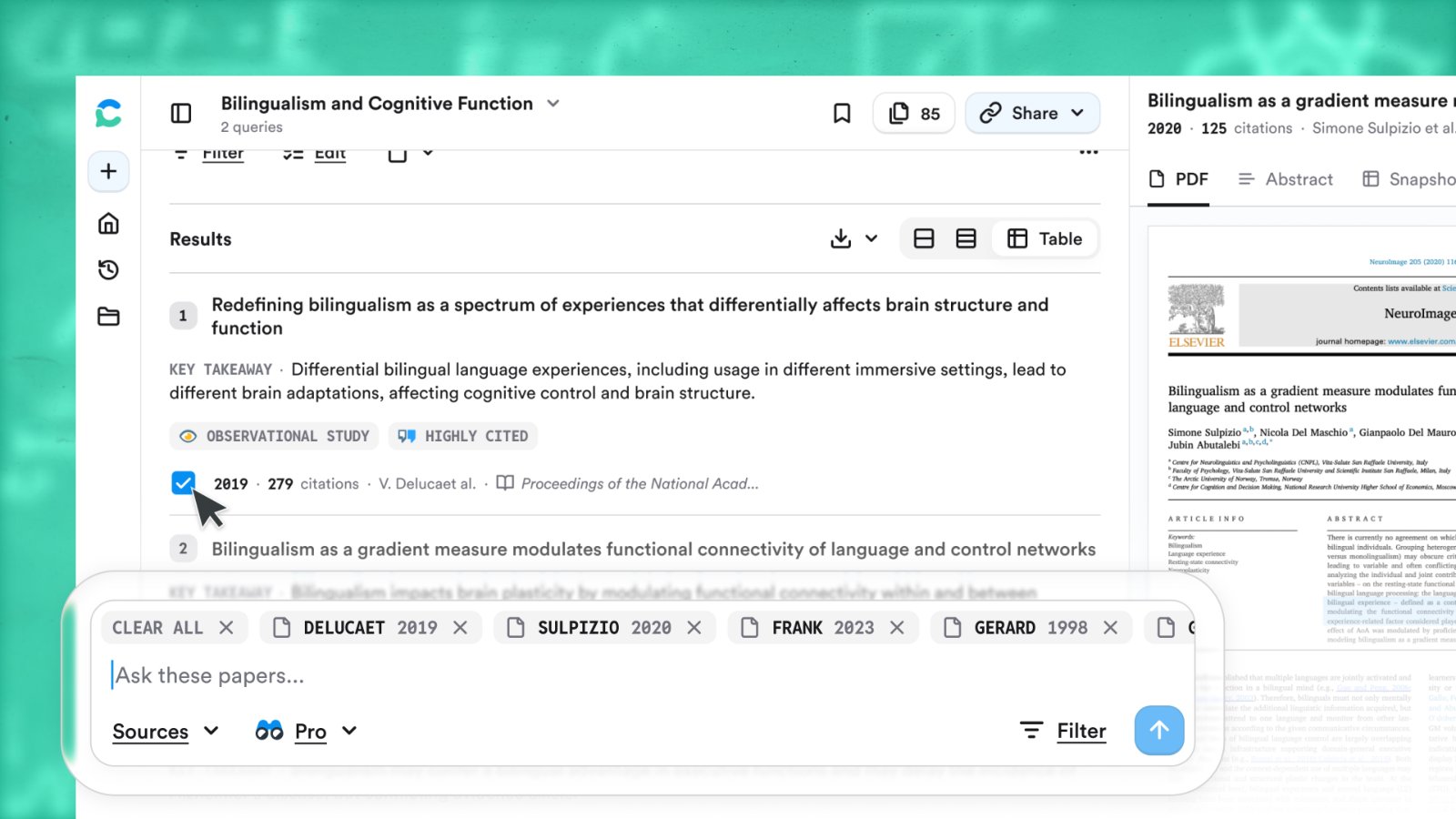
Tick the boxes next to papers in the References list, then type your question in the search bar at the bottom. Only the attached papers are used, read in full where available.
## Follow-ups keep the thread's context
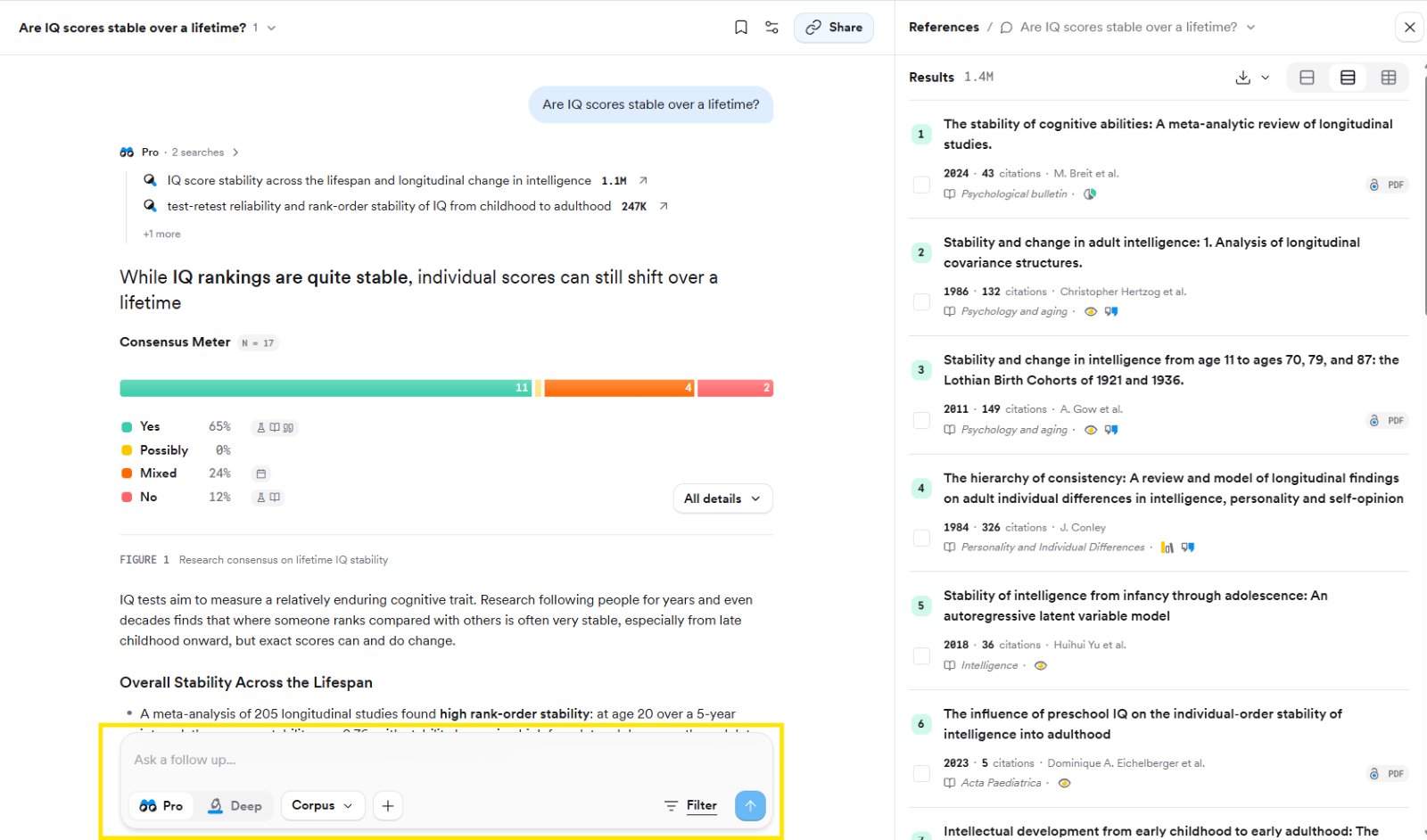
Every follow-up in **Ask a follow up…** builds on the previous searches, so "which approach has the most evidence?" works without restating the topic. Follow-ups are available in Pro and Deep modes. To edit your first search instead, click **Filter** under the answer, adjust, and choose **Apply and resend**.
## Related tutorials
 ## Attach papers directly from the results
Tick the boxes next to papers in the References list, then type your question in the search bar at the bottom. Only the attached papers are used, read in full where available.
## Attach papers directly from the results
Tick the boxes next to papers in the References list, then type your question in the search bar at the bottom. Only the attached papers are used, read in full where available.
 ## Follow-ups keep the thread's context
Every follow-up in **Ask a follow up…** builds on the previous searches, so "which approach has the most evidence?" works without restating the topic. Follow-ups are available in Pro and Deep modes. To edit your first search instead, click **Filter** under the answer, adjust, and choose **Apply and resend**.
## Follow-ups keep the thread's context
Every follow-up in **Ask a follow up…** builds on the previous searches, so "which approach has the most evidence?" works without restating the topic. Follow-ups are available in Pro and Deep modes. To edit your first search instead, click **Filter** under the answer, adjust, and choose **Apply and resend**.
 ## Related tutorials