> ## Documentation Index
> Fetch the complete documentation index at: https://docs.consensus.app/llms.txt
> Use this file to discover all available pages before exploring further.
# Review a grant before you submit
> Upload your grant and use Deep Search to find similar studies, compare designs, identify literature gaps, and validate your effect size and sample size assumptions.
Reviewers will challenge your sample size, your novelty claim, and your study design. Run that critique yourself first. The example uses a \~70-page grant on progesterone and muscle protein synthesis.
**You'll learn how to:**
1. Upload a grant as an attachment
2. Use Deep Search to find similar studies and compare designs
3. Validate your effect size and sample size against comparable trials
## Step 1: Upload the grant and ask for a comparison
Click **Add attachment** in the search bar and upload the grant PDF. Toggle on **Deep**, then ask:
```text theme={null}
Find studies with similar questions to this grant, compare the experiment
design, study populations, and stated limitations, and find gaps in the
literature today that actually address our proposal and justify why a grant
might be provided here.
```
Deep Search reads the grant in chunks, identifies the core topic, and runs nearly 20 searches across the index. In the example it retrieved \~6 million candidates, found 150 relevant, and read the top 50.
The answer covers the closest prior studies, a design comparison with their limitations, a critique of the population, and the gaps the proposal addresses. Hover any quoted citation to see the passage; a checkmark means it came from full text, not just the abstract. Click **Open** to jump to it in the paper.
Open the sidebar to browse all 150 papers, switch to **table view**, or download them.
## Step 2: Critique the statistics
```text theme={null}
Critique my effect size assumption and sample size.
```
Consensus compares the grant to similar approved studies and reports whether the assumptions hold, with a table of comparable trials showing design, effect size, and sample size.
## Privacy and sharing
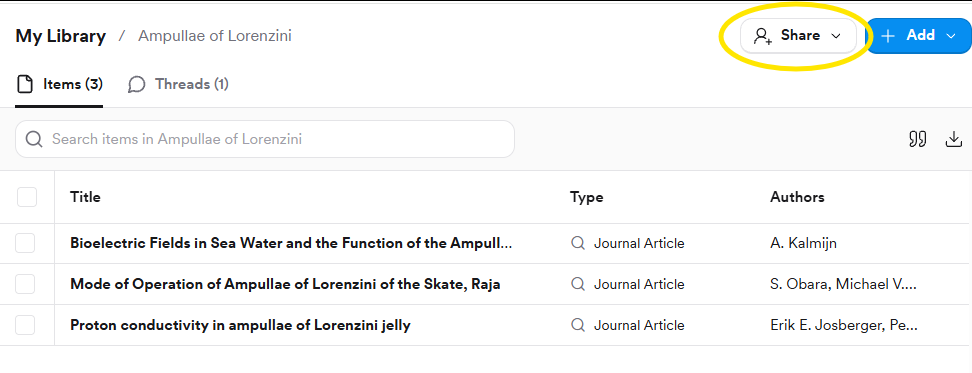
Uploads are private and aren't used to train models. To work with a lab, open **My Library**, put the grant and shortlisted papers in a Collection, and click **Share** to add collaborators.
## Uploading from the search bar
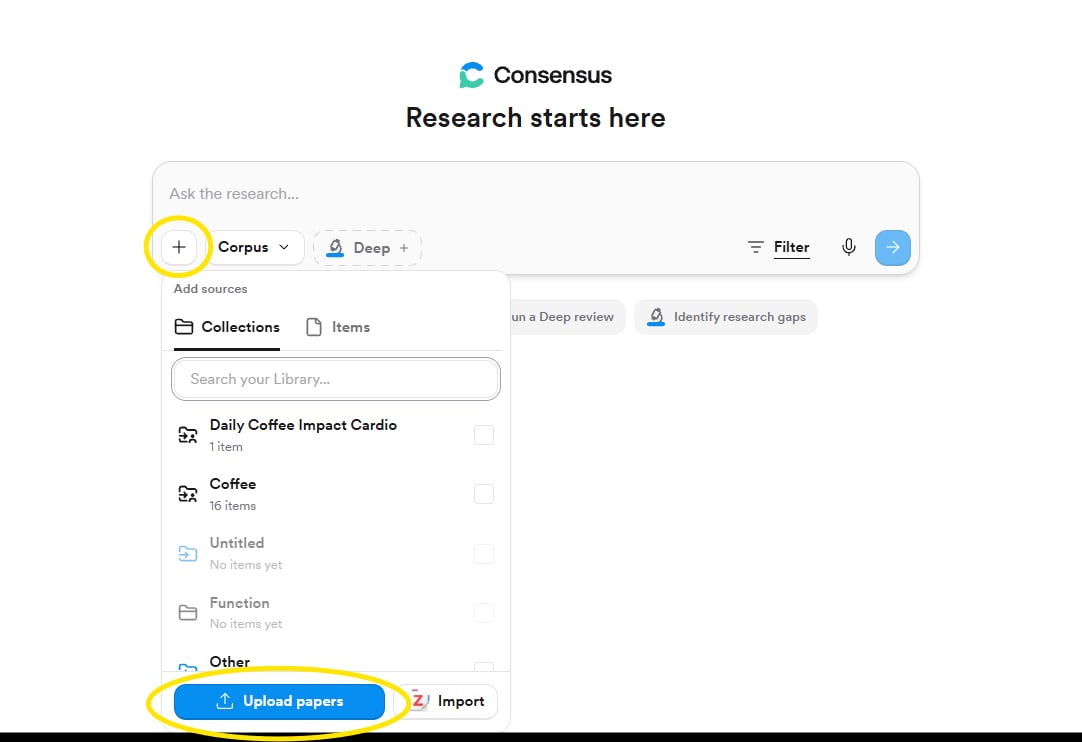
Click **+** in the search bar, choose **Upload papers**, pick the file, then type your question. The upload lands in My Library too, so you can attach it again later. Text-based PDFs up to 50 MB; scanned PDFs can't be processed.
## Watch the plan as it runs
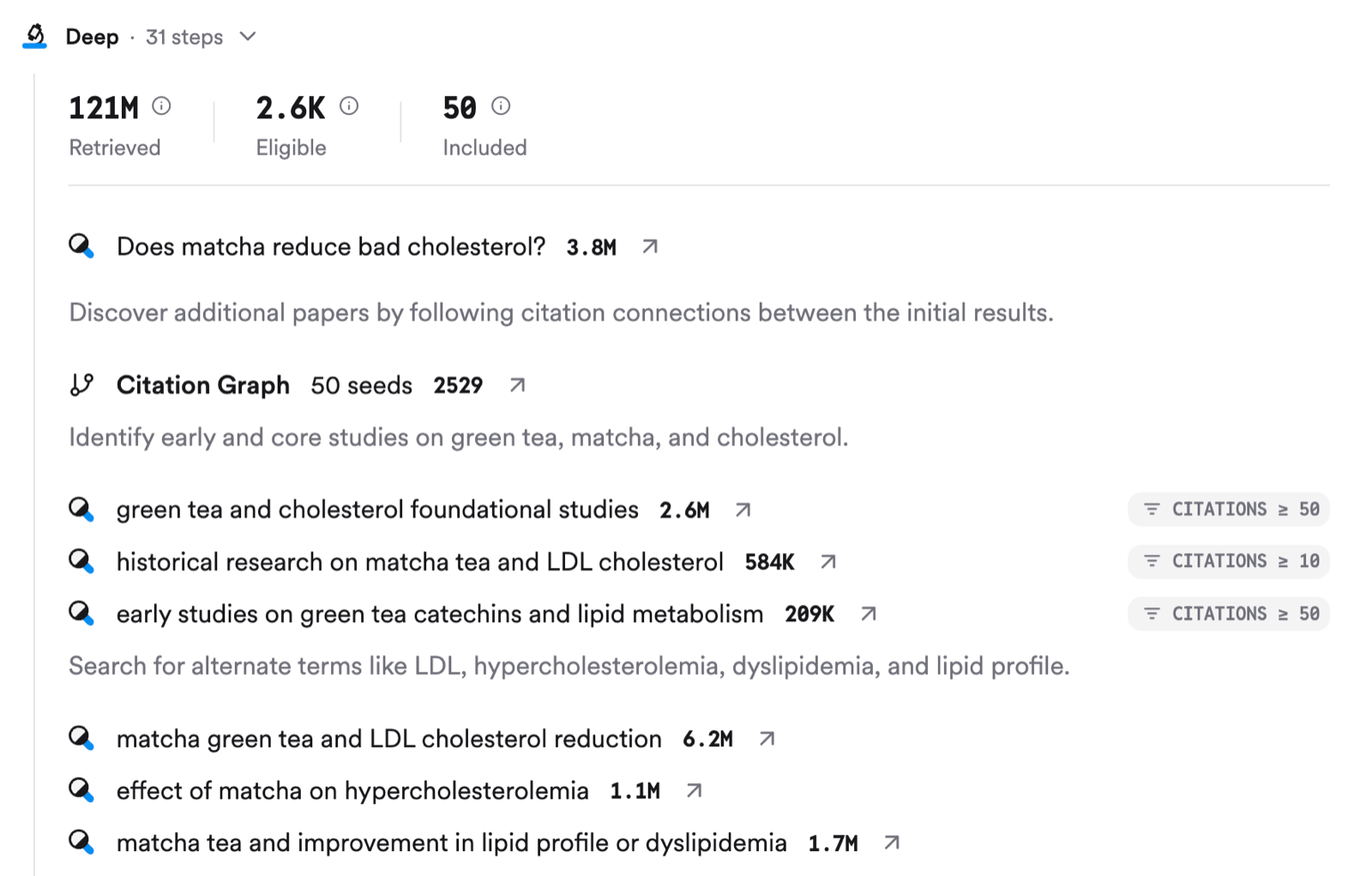
The Deep Search panel shows every phase and search, with counts of papers identified, screened, eligible, and included. It's the fastest way to see whether Consensus understood the grant's core question.
## Cite and export
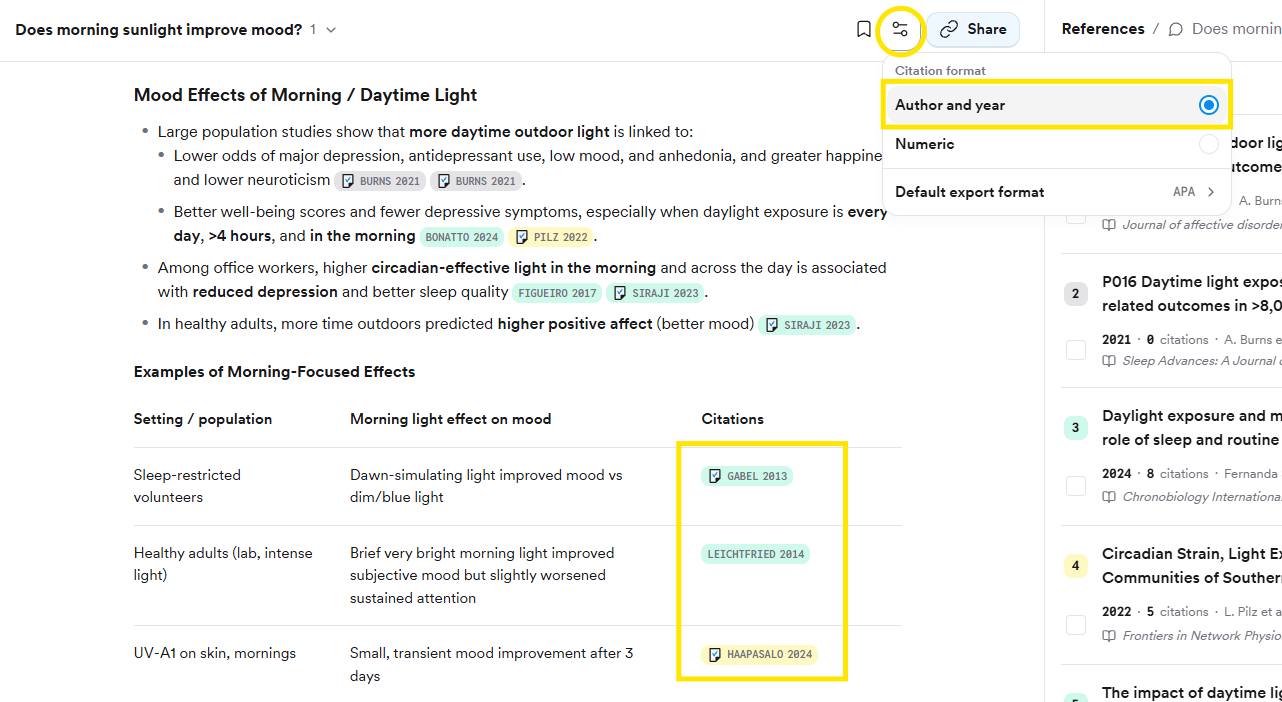
Click the thread settings button at the top of the page to choose **Author and year** or **Numeric** in-line citations and a default export style. Then **Export** at the bottom of the report gives **Copy text**, **Copy with citations**, or **Export as PDF**.
## Share with your lab
Open the Collection in My Library and click **Share**. Invite by email or copy an invite link; choose **Viewer** (can read and run searches on the Collection) or **Editor** (can also add and remove papers). Anyone you invite can see uploads inside the Collection.
A full guide with sample prompts for each section of a proposal: background and significance, the gap, rationale, methods, outcome measures, and impact.
## Related tutorials
 ## Watch the plan as it runs
The Deep Search panel shows every phase and search, with counts of papers identified, screened, eligible, and included. It's the fastest way to see whether Consensus understood the grant's core question.
## Watch the plan as it runs
The Deep Search panel shows every phase and search, with counts of papers identified, screened, eligible, and included. It's the fastest way to see whether Consensus understood the grant's core question.
 ## Cite and export
Click the thread settings button at the top of the page to choose **Author and year** or **Numeric** in-line citations and a default export style. Then **Export** at the bottom of the report gives **Copy text**, **Copy with citations**, or **Export as PDF**.
## Cite and export
Click the thread settings button at the top of the page to choose **Author and year** or **Numeric** in-line citations and a default export style. Then **Export** at the bottom of the report gives **Copy text**, **Copy with citations**, or **Export as PDF**.
 ## Share with your lab
Open the Collection in My Library and click **Share**. Invite by email or copy an invite link; choose **Viewer** (can read and run searches on the Collection) or **Editor** (can also add and remove papers). Anyone you invite can see uploads inside the Collection.
## Share with your lab
Open the Collection in My Library and click **Share**. Invite by email or copy an invite link; choose **Viewer** (can read and run searches on the Collection) or **Editor** (can also add and remove papers). Anyone you invite can see uploads inside the Collection.