> ## Documentation Index
> Fetch the complete documentation index at: https://docs.consensus.app/llms.txt
> Use this file to discover all available pages before exploring further.
# Research an author's body of work
> Map a researcher's publications, find their most influential paper, and trace its downstream impact. Useful before a meeting, a hire, or a citation.
Sometimes you need to understand one person's footprint: what they've published, and what influence it's had. Instead of scouring ResearchGate or Google Scholar, ask Consensus. The example uses a PhD candidate with a handful of papers, not a famous name, to show it works for early-career researchers too.
**You'll learn how to:**
1. Run an author-scoped search filtered by topic
2. Rank a researcher's papers by citation impact
3. Visualize the citation graph and regenerate it with several seeds
## Step 1: Find the author's papers on a topic
```text theme={null}
Find papers by Alysha D'Souza on muscle development in female athletes and
identify the most influential paper in that set.
```
Research Agent resolves the correct author, finds their papers, narrows a broad set of \~12,000 results to the ones where they're a primary author or co-author on the topic, and identifies the most influential one. In the example, that's an umbrella review with 102 citations. Click through to the DOI to confirm authorship.
## Step 2: Trace the paper's impact
```text theme={null}
Show me later work that was built on that paper and summarize its impact.
```
Consensus walks the citation graph forward, finds \~55 eligible citing papers, shortlists 20, and summarizes how the field responded. In the example, the review exposed methodological flaws, and later studies moved from calendar-based to hormone-informed cycle tracking.
## Step 3: Triangulate with the citation graph
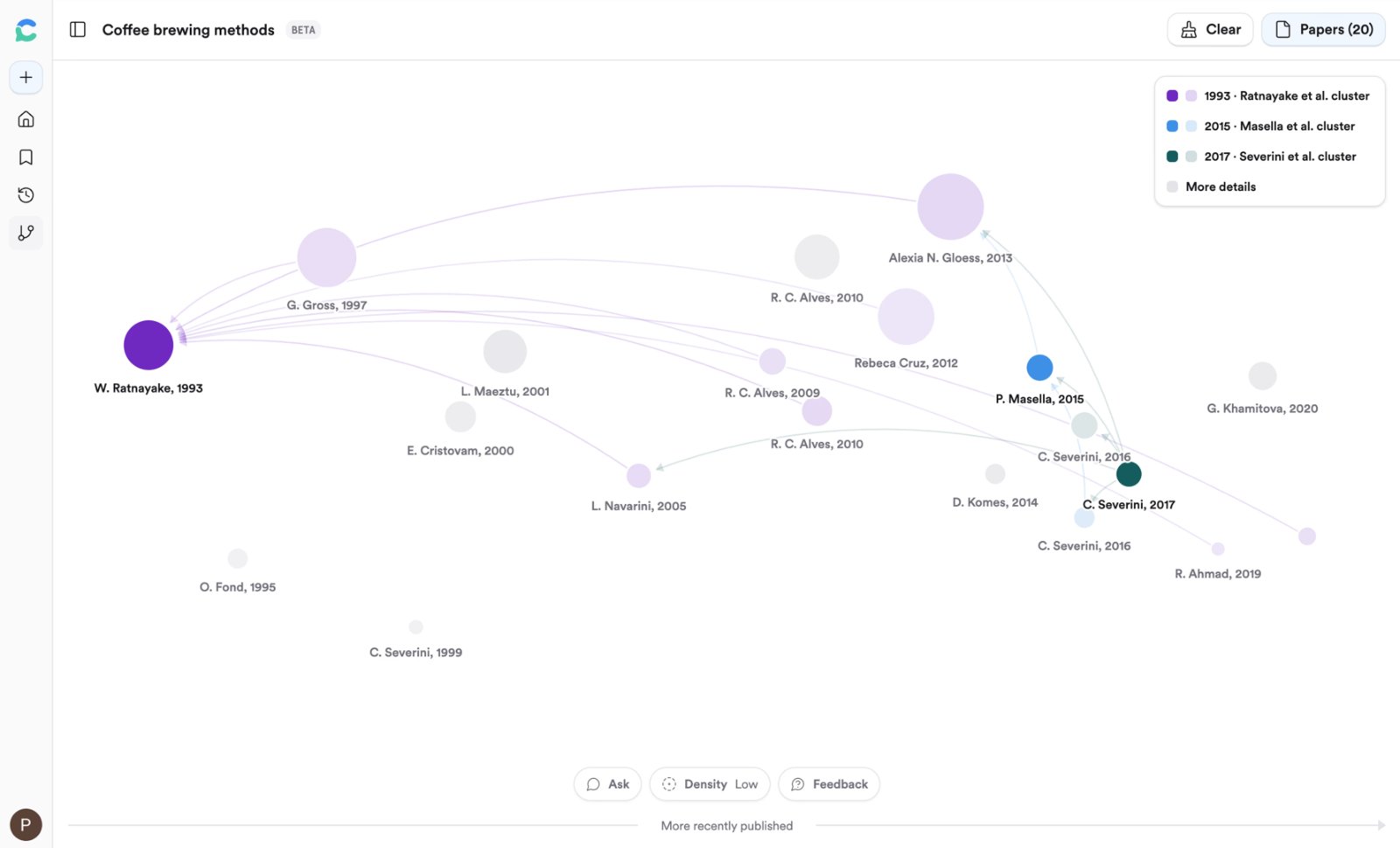
Scroll up to the original thread, click the paper, and click **Graph**. A new tab opens with the 15 papers most related to it, forward and backward.
Open the sidebar, add two or three more papers as seeds, and click **Regenerate graph**. The graph now shows papers related to all of the seeds together, which is a fast way to find work on a narrow niche.
## Reading and refining the graph
* **Horizontal axis** is time; **node size** is citation count; **opacity** shows how connected a paper is.
* **Arrows** point from a paper to the paper it cites. Hover a node to highlight its connections.
* **+ Seed** promotes a result to a seed; the minus button excludes it; **Density** switches between 20, 40, and 60 papers.
* Click **Chat** at the bottom to ask questions with all seeds and results attached.
Graphs aren't saved yet (beta), so promote seeds and save the papers you care about to your Library before closing the tab.
## Related tutorials
 * **Horizontal axis** is time; **node size** is citation count; **opacity** shows how connected a paper is.
* **Arrows** point from a paper to the paper it cites. Hover a node to highlight its connections.
* **+ Seed** promotes a result to a seed; the minus button excludes it; **Density** switches between 20, 40, and 60 papers.
* Click **Chat** at the bottom to ask questions with all seeds and results attached.
Graphs aren't saved yet (beta), so promote seeds and save the papers you care about to your Library before closing the tab.
## Related tutorials
* **Horizontal axis** is time; **node size** is citation count; **opacity** shows how connected a paper is.
* **Arrows** point from a paper to the paper it cites. Hover a node to highlight its connections.
* **+ Seed** promotes a result to a seed; the minus button excludes it; **Density** switches between 20, 40, and 60 papers.
* Click **Chat** at the bottom to ask questions with all seeds and results attached.
Graphs aren't saved yet (beta), so promote seeds and save the papers you care about to your Library before closing the tab.
## Related tutorials