> ## Documentation Index
> Fetch the complete documentation index at: https://docs.consensus.app/llms.txt
> Use this file to discover all available pages before exploring further.
# Snowball from one paper to a reading list
> Start from one paper you trust and triangulate similarity, citations, and references to find every adjacent study, then map the gaps.
One trusted paper is enough to find the literature around it. Three signals help: papers that look similar, papers that cite it, and papers it cites. This tutorial uses Cryan & Dinan (2012), *Mind-altering microorganisms*, on the gut microbiome and depression.
**You'll learn how to:**
1. Find semantically similar papers from a single seed
2. Build a research timeline from the collected set
3. Generate a research gaps matrix showing what topics and populations are missing
## Step 1: Find the seed and its neighbors
```text theme={null}
Find the paper "Mind-altering microorganisms" (Cryan & Dinan, 2012), then find
other similar papers.
```
Research Agent locates the paper, searches on signals from its abstract and full text for semantically similar work, and walks the citation graph in both directions. From over a million candidates it deduplicates to 99 close matches and analyzes the top 20. Scroll the sidebar and click **Show more** for the full list.
## Step 2: Visualize coverage and gaps
```text theme={null}
Create a research timeline and a research gaps matrix showing what the
collected studies cover or miss.
```
Consensus builds a timeline of when each paper was published relative to the seed, then a gaps matrix. In the example, only one paper covers human clinical trials of short-chain fatty acids and metabolites.
## Step 3: Fill the gaps
```text theme={null}
Find me papers from the last 5 years that fill in the gaps mentioned.
```
Consensus runs a parallel search for each major gap, with a 5-year recency filter on every one.
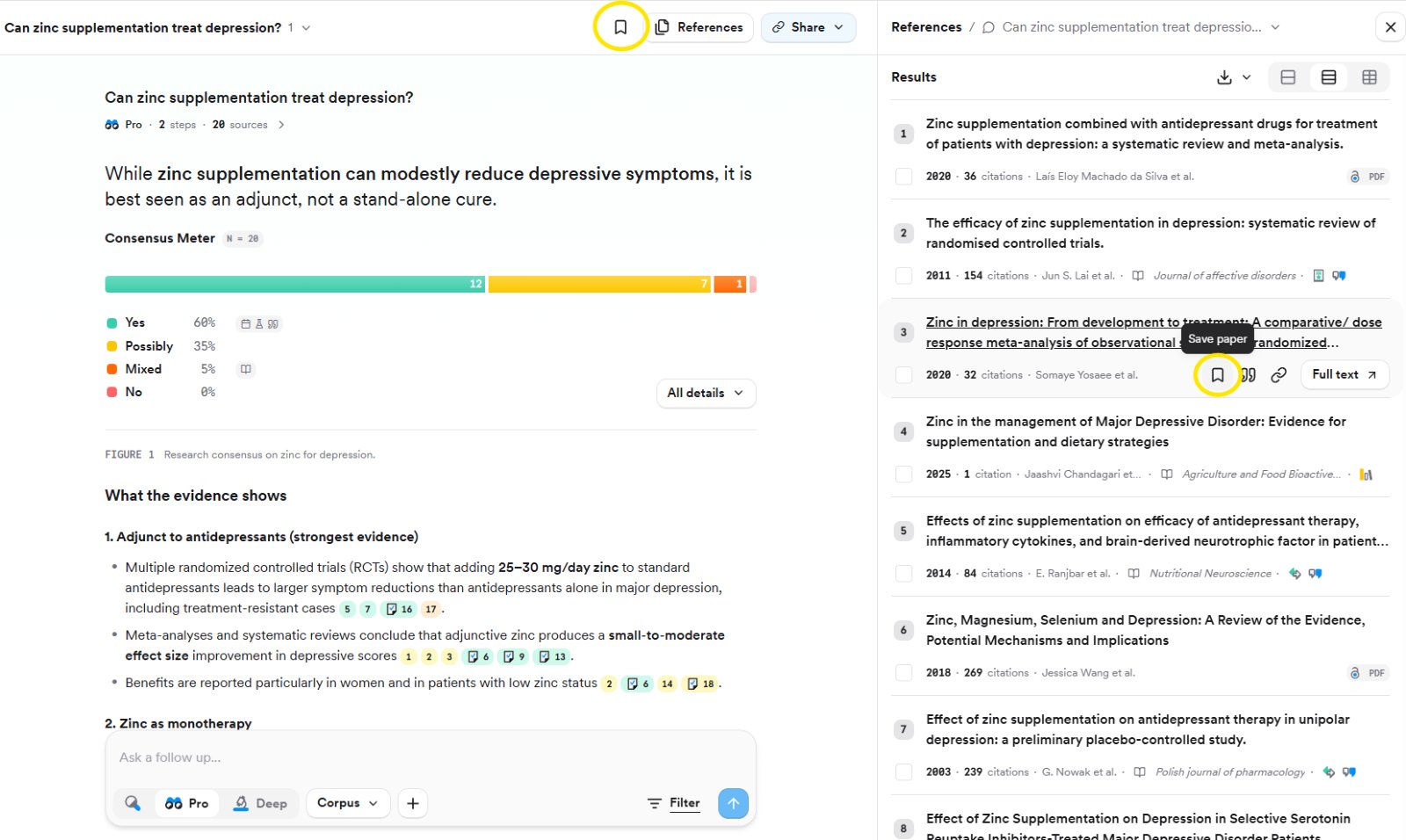
Hover any paper and click the **bookmark** to save it to your [Library](/core-features/library) as you go.
## Save papers as you find them
Click the **bookmark** on any paper to save it, or the bookmark at the top of the page to save the whole thread. Pick an existing Collection or create a new one. Collections can be nested by choosing a parent under **Create in**.
## Review every paper the thread used
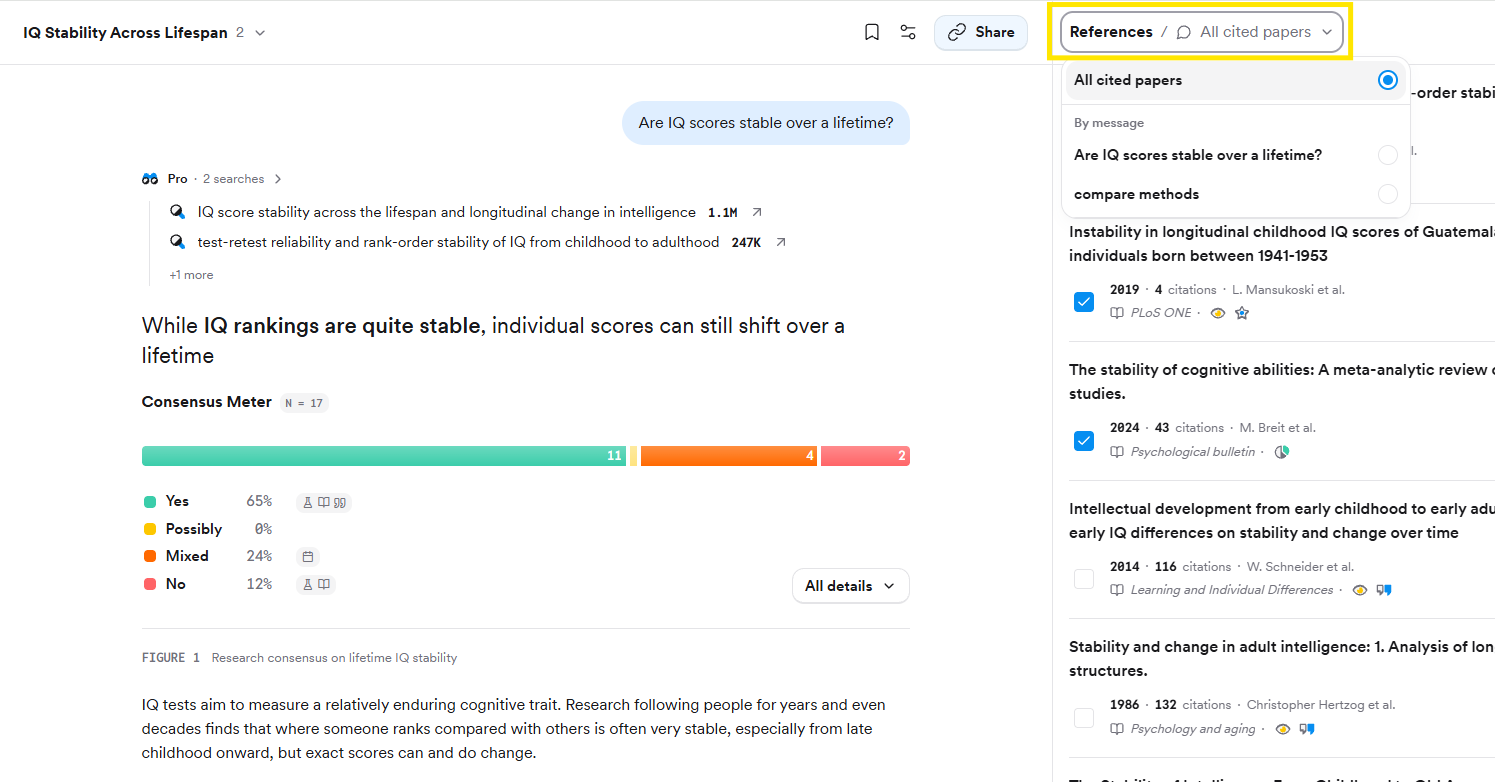
Click **References** in the top right. The dropdown switches between **All cited papers** (everything across the thread) and **By message** (papers behind one specific search). Tick papers here to save several at once or attach them to a follow-up.
## Related tutorials
 ## Review every paper the thread used
Click **References** in the top right. The dropdown switches between **All cited papers** (everything across the thread) and **By message** (papers behind one specific search). Tick papers here to save several at once or attach them to a follow-up.
## Review every paper the thread used
Click **References** in the top right. The dropdown switches between **All cited papers** (everything across the thread) and **By message** (papers behind one specific search). Tick papers here to save several at once or attach them to a follow-up.
 ## Related tutorials