> ## Documentation Index
> Fetch the complete documentation index at: https://docs.consensus.app/llms.txt
> Use this file to discover all available pages before exploring further.
# Trace citations forward and backward
> Understand where a paper came from and how the field built on it. Bi-directional citation tracing using Attention Is All You Need as the anchor.
When you find an important paper, you want to know what built up to it and how the field built on top of it. This tutorial uses *Attention Is All You Need* (Vaswani et al., 2017) as the anchor.
**You'll learn how to:**
1. Pull a paper's outgoing references grouped by intellectual lineage
2. Trace forward citations and filter them by topic and recency
3. Map the past and future of any foundational paper in one workflow
## Step 1: Look backward
```text theme={null}
Show me the papers that "Attention Is All You Need" cites. What intellectual
lineage did the authors build upon?
```
Research Agent looks up the paper, crawls its references through the citation graph, shortlists and reads the most relevant ones, and returns the lineage: key attention precursors, the architectures that evolved over time, and a summary of the field.
## Step 2: Look forward, narrowed to a niche
```text theme={null}
Show me papers from the last 5 years that cited it for speech and audio
modeling. How did they adapt attention to spectrograms or raw audio, and what
tasks benefited?
```
Consensus runs several searches on how the field developed, applies the recency filter, explores the citation graph for papers that reference the anchor, and runs extra searches to fill gaps. The result is an overview of how one seminal paper shaped a specific subfield in a specific window.
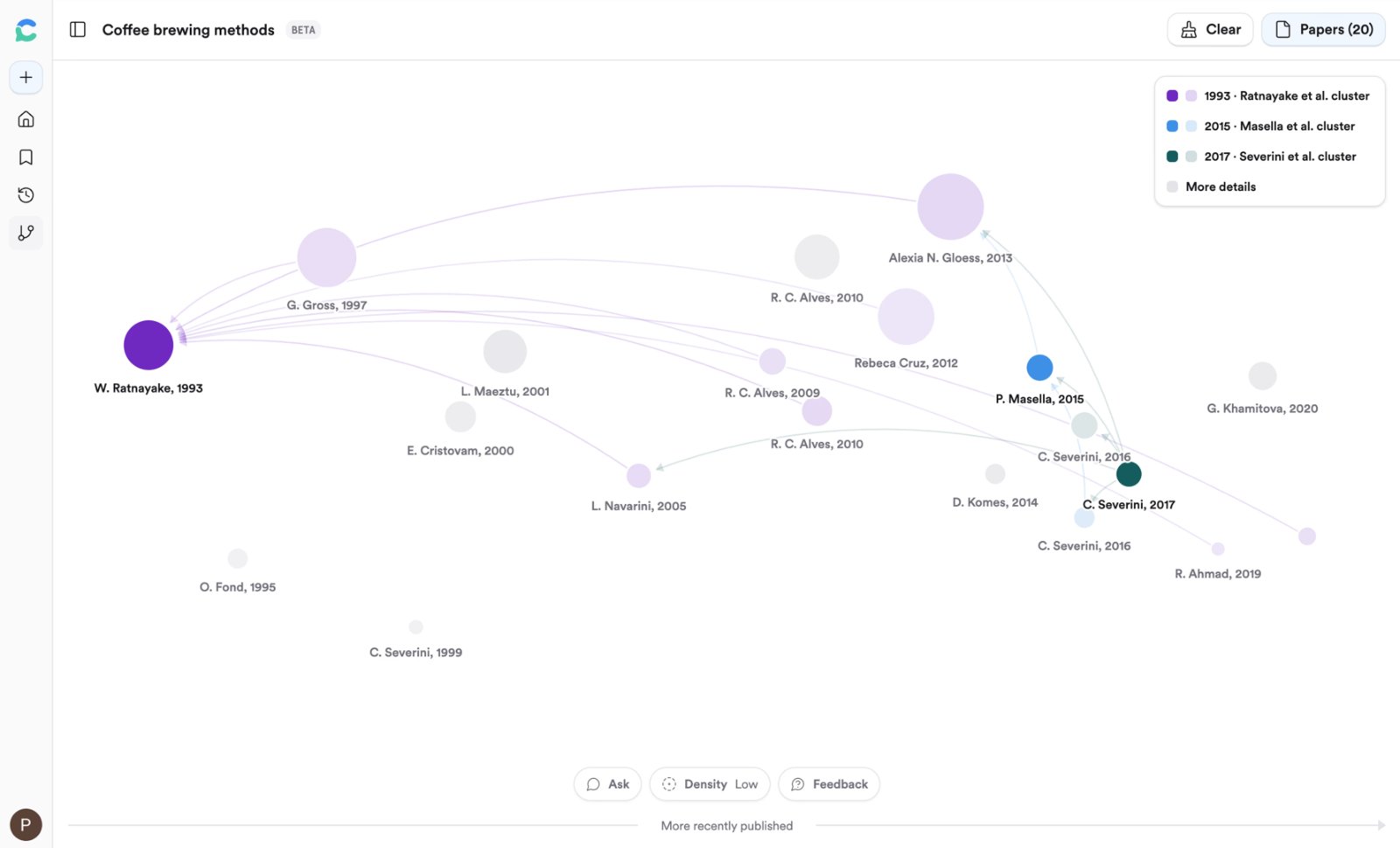
For a visual version of the same idea, open any paper and click **Graph**. See [Citation Graph](/core-features/citation-graph).
## The same trace, as a graph
Citation Graph does this visually. It ranks papers by three citation signals rather than keywords:
* **Direct citation** — the paper cites your seed, or your seed cites it.
* **Co-citation** — how often the paper and your seed appear together in other papers' reference lists.
* **Bibliographic coupling** — how many references the paper shares with your seed.
A traditional crawl only looks forward or backward from one paper; combining the three signals surfaces related work a crawl misses.
Open it from any paper's sidebar with the **Citation Graph** button, or from **Graph** in the left nav. Up to 5 seeds; 20, 40, or 60 papers.
## Related tutorials
 Open it from any paper's sidebar with the **Citation Graph** button, or from **Graph** in the left nav. Up to 5 seeds; 20, 40, or 60 papers.
## Related tutorials
Open it from any paper's sidebar with the **Citation Graph** button, or from **Graph** in the left nav. Up to 5 seeds; 20, 40, or 60 papers.
## Related tutorials