
What you can build with the Consensus MCP

Claude

ChatGPT

Microsoft 365 Copilot
Connect Your Client
Claude Desktop

Claude Desktop
Open Settings
Browse connectors
Find Consensus
Sign in
Start searching
Claude Code
Claude Code
/mcp command inside Claude Code.ChatGPT

ChatGPT
Open ChatGPT
Find Consensus
Sign in
Start searching
Codex
Codex
~/.codex/config.toml:Cursor

Cursor
~/.cursor/mcp.json:VS Code (GitHub Copilot)

VS Code (GitHub Copilot)
Windsurf

Windsurf
Gemini Spark
Gemini Spark
Open Connected Apps
Add a custom app
Approve the connection
Start searching
Microsoft 365 Copilot

Microsoft 365 Copilot
Open Copilot Chat settings
Connect Consensus
Ask a research question
Microsoft 365 Copilot Studio
Microsoft 365 Copilot Studio
Open custom tools
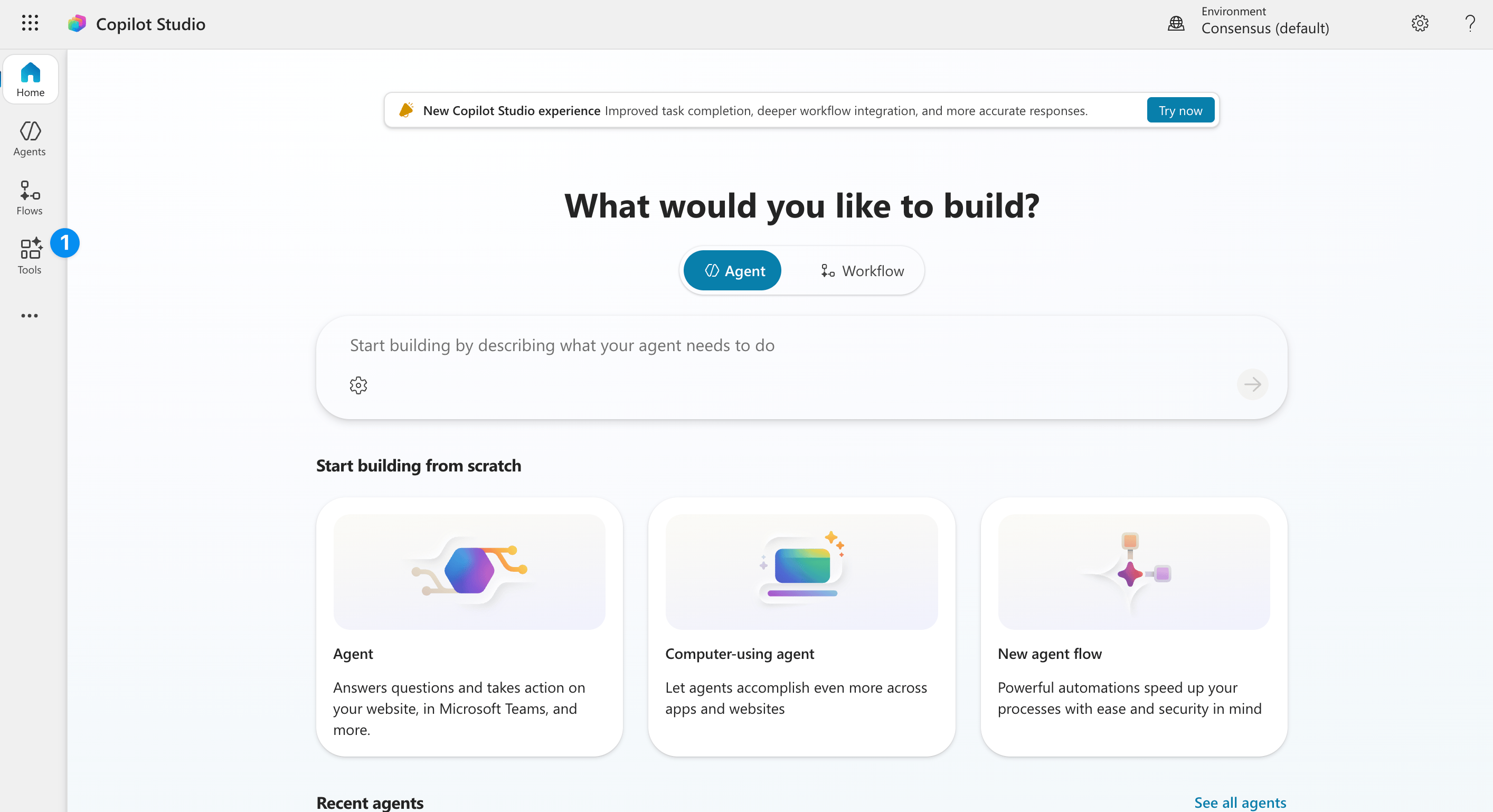
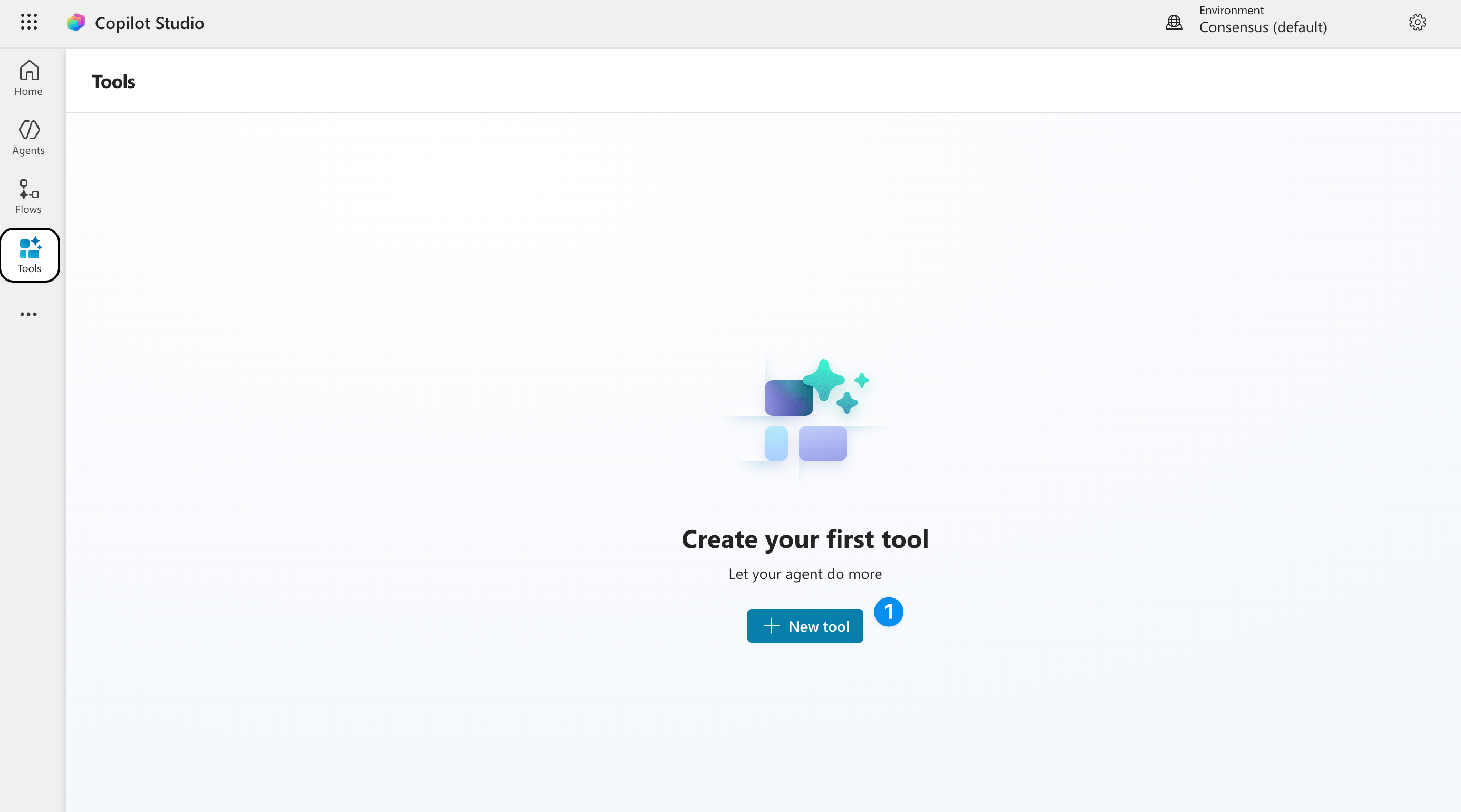
Create 'Create new tool'
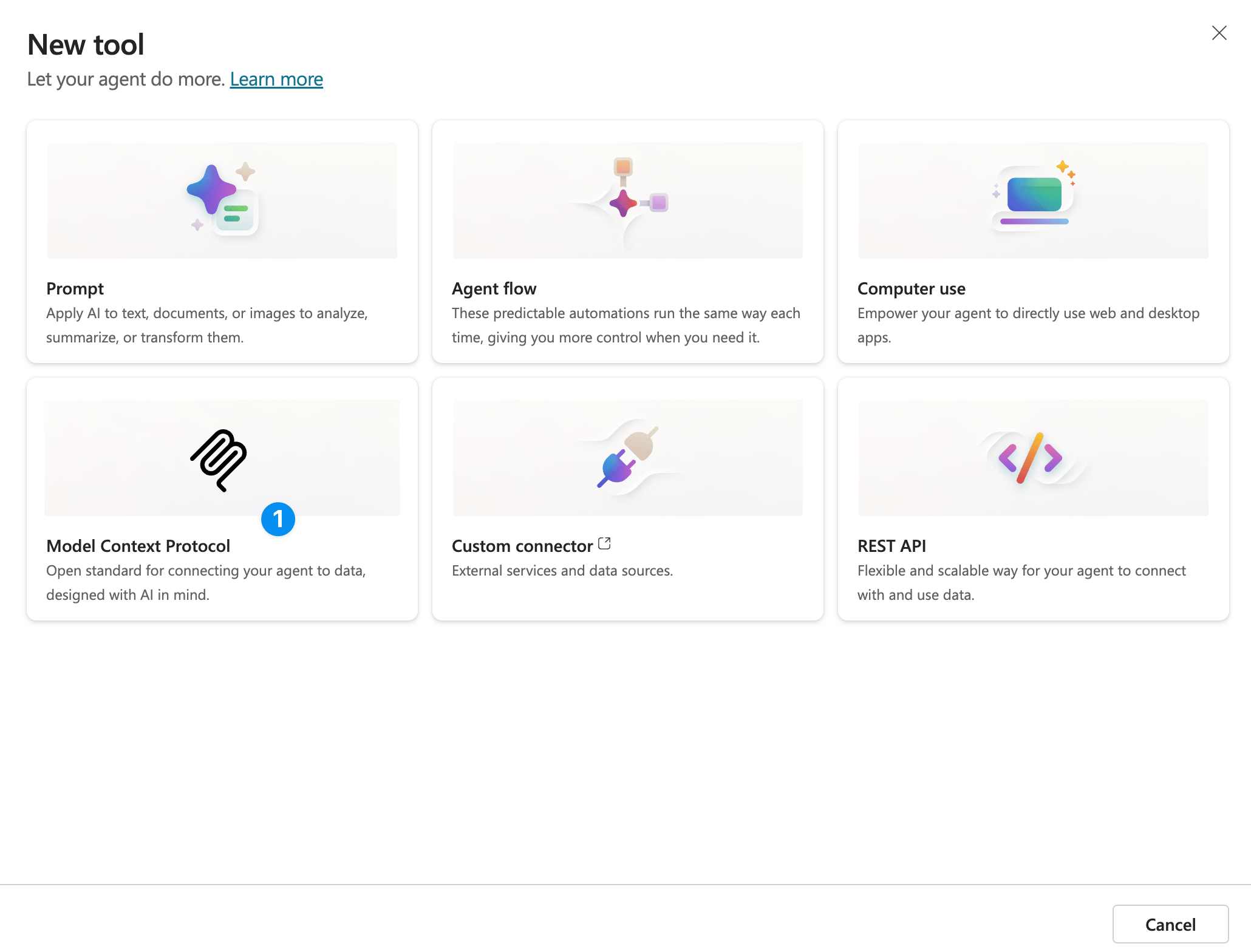
Click 'Model context protocol'
Fill in the connector information
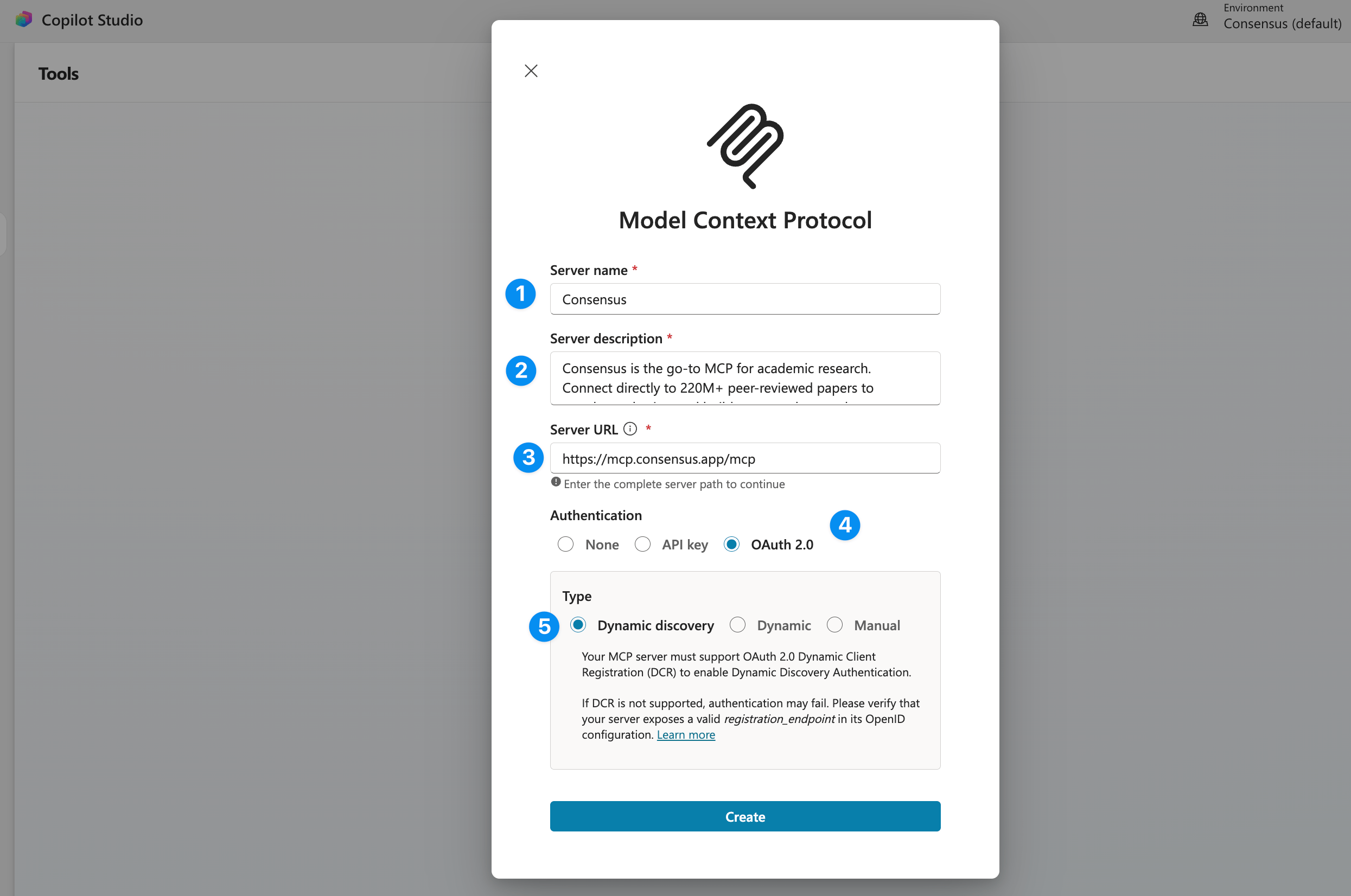
Save and use!
API key (Bearer token)
API key (Bearer token)
Authorization header on every request to https://mcp.consensus.app/mcp:Other MCP clients
Other MCP clients
https://mcp.consensus.app/mcp. If your client supports OAuth, authentication is handled automatically.Watch: connect Consensus and run your first search
Using Consensus with ChatGPT Deep Research
Consensus also works with ChatGPT Deep Research. When Deep Research uses the Consensus app, it can search Consensus for relevant papers and retrieve full paper details for cited results.Connect the Consensus app
Start a Deep Research request
Ask ChatGPT to use Consensus
Use Consensus to research the evidence on exercise for depression. Prioritize systematic reviews, meta-analyses, and randomized controlled trials.
Verify Your Connection
Try one of these in your connected client. Each link opens the question pre-filled:Plans and Access
Your Consensus plan, not your AI subscription, sets how many papers each search returns, your monthly calls, and whether results include DOIs and full-text excerpts. No account is needed to try it.Plans and access
Search Tool
The search tool searches Consensus for peer-reviewed research papers. ChatGPT Deep Research may call this tool multiple times with different queries and filters while building a research report.Parameters
Response
The search tool returns a text payload containing ranked papers (title, link, authors, year, citation count, journal, and abstract), citation instructions, and any instructions for best rendering practices — everything an agent needs to answer with cited, linked sources.include_full_text_chunks, full-text excerpts. In ChatGPT, results appear in the Consensus widget.
Example Prompts
- “What does the research say about the effectiveness of remote work on productivity?”
- “Find RCTs and meta-analyses since 2020 on cognitive behavioral therapy for anxiety”
- “Search for high quality human studies on gut microbiome and mental health with at least 100 participants”
- “Recent research on large language model hallucination from top tier journals”
- “Use Consensus Deep Research to compare evidence for different treatments for insomnia”
Troubleshooting
OAuth login is only supported for streamable HTTP servers (Codex)
OAuth login is only supported for streamable HTTP servers (Codex)
-- --transport http instead of --url. Remove and re-add:Authentication successful but server reconnection failed (Claude Code)
Authentication successful but server reconnection failed (Claude Code)
Tools stop working after a few hours (401 errors)
Tools stop working after a few hours (401 errors)
- Claude Code: Type
/mcp, select Consensus, choose Clear authentication, re-authenticate, then restart Claude Code - Codex: Run
codex mcp logout consensusthencodex mcp login consensus - Cursor: Disconnect and reconnect the server in Settings then Tools and MCP
- Claude Desktop: Disconnect and reconnect the connector in Settings then Connectors
- ChatGPT: Disconnect and reconnect the Consensus app from ChatGPT Apps
Server shows failed or no tools appear
Server shows failed or no tools appear
- Verify the URL includes
/mcpat the end - Remove and re-add the server using the commands above
- Restart your client completely
Consensus search has not been loaded yet (Claude Code)
Consensus search has not been loaded yet (Claude Code)
ChatGPT Deep Research is not using Consensus
ChatGPT Deep Research is not using Consensus
Use Consensus to find peer-reviewed papers on this question and cite the strongest evidence.Deep Research decides when to call connected tools, so it may not call Consensus for questions that are not research-focused.
No results found
No results found
Monthly call limit reached
Monthly call limit reached
Rate limit exceeded (429 error)
Rate limit exceeded (429 error)
Security
- Endpoint: Only connect to the official URL:
https://mcp.consensus.app/mcp - API keys: Store securely using environment variables. Never share keys in prompts or public conversations. Rotate if compromised.
- Data handling: Search queries are sent to the Consensus API over HTTPS/TLS. Results contain publicly available academic paper metadata. No personal data is stored from MCP requests.