

Get started with the API
Authentication, your first request in cURL, Python, JavaScript, and Go, and the full parameter reference.
What you get
- The top 20 most relevant papers per query by default, up to 1,000 per query with
page_size - A relevance score on every paper for ranking or pruning
- Metadata: title, authors, journal, publication year, DOI, citation count, and a link to the paper
- Enriched fields on paid plans: study design, journal rank, extracted key takeaways, and query-relevant full-text excerpts (
include_full_text_chunks) - Filters for publication date, study type, sample size, citation count, journal quality, academic field, country, open-access status, and more
Who it’s for
- Automating research discovery for R&D teams
- Powering private ChatGPT instances and internal copilots
- Giving internal AI agents trusted research references
- Building research dashboards and automation tools
Get a key
1
Open the dashboard
Click your profile icon in the bottom-left of Consensus and choose API & MCP Dashboard.
2
Create a key
Open the Keys and Clients tab, click New key, and name it.
3
Copy it now
The full key is shown once. If you lose it, revoke it and create a new one.
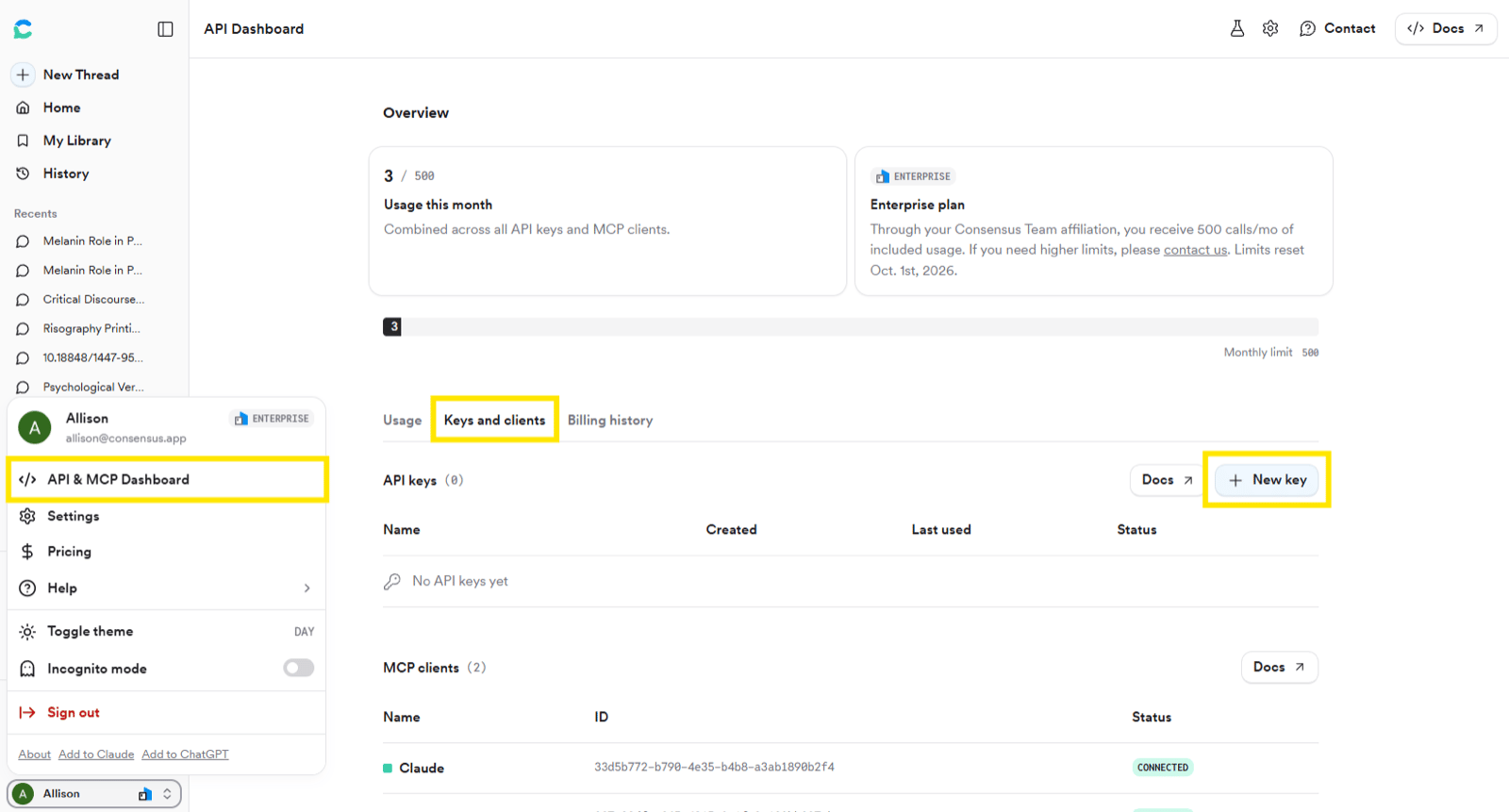
Profile icon › API & MCP Dashboard › Keys and clients › New key.
x-api-key header on every request. Treat it like a password: keep it out of client-side code, public repositories, and screenshots.
Plans and limits
API and MCP calls share one monthly pool.- A call covers up to 100 papers, rounded up, with a minimum of 1 call per request.
- Additional usage costs $0.05 per call. It’s off by default; enable it in the dashboard. Free plans can’t enable it.
- Rate limit: 1 request per second.
- Usage resets on the 1st of each month.
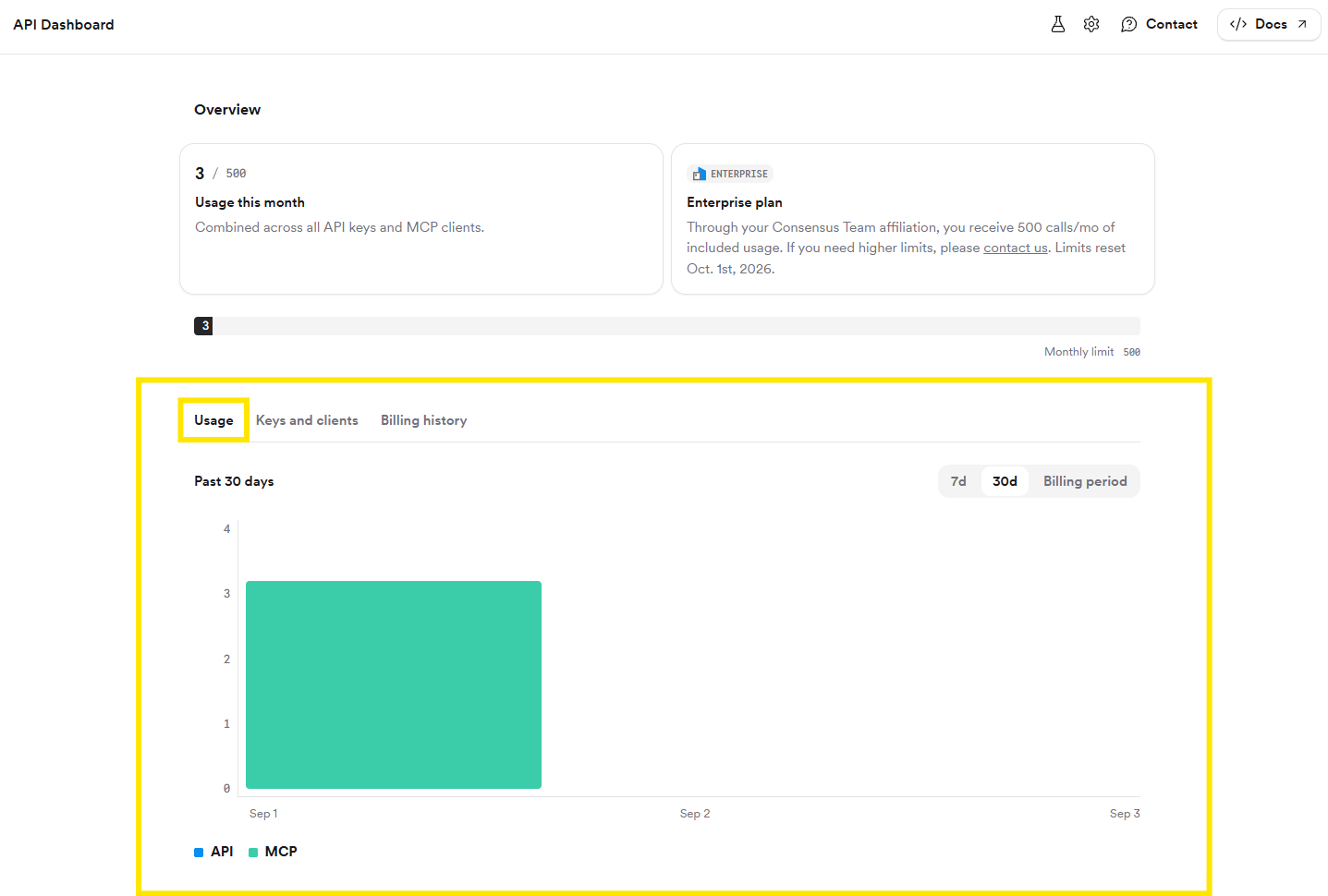
The Usage tab splits calls between API and MCP over 7 days, 30 days, or the billing period.
Common errors
Need higher limits or Bearer-token auth? Contact [email protected] about Enterprise access.
Related
API reference
Every parameter and response field.
MCP
The same search inside Claude, ChatGPT, and Cursor.