A reading list needs to stay current and cover its blind spots, but it’s hard to know what you’re missing without starting over. This tutorial runs a gap analysis on a ~20-paper Collection about muscle development in athletes, then fills the gaps from the full index.
You’ll learn how to:
- Generate a research gaps matrix scoped to a single Collection
- Identify missing topics, populations, and methodologies
- Find recent papers that fill those gaps and save them to the Collection
Before you start
Open My Library. If your papers aren’t in Consensus yet, use Add papers to import from Zotero (entire library, sub-collections, and full text), upload BibTeX, RIS, or PDF files, or paste DOIs. Everything you import is private to you.Step 1: Ask for a gaps matrix over the Collection
With the Collection open, it’s already attached to the search bar. (From anywhere else, click + in the search bar to attach it.)Step 2: Search the full index to fill the gaps
Remove the Collection from the search bar (click × on it, or set Corpus to All) so Consensus searches the whole index rather than just your attachments.Step 3: Save the results
- Hover a citation and click bookmark to save it to the Collection.
- Or open References, select several papers, and save them in one go.
- Save the whole thread to your Library to come back to it later.
The video description mentions regenerative agriculture; the recorded demo uses a Collection on muscle development in athletes.
Getting papers into a Collection
Click Add papers in the top right of My Library: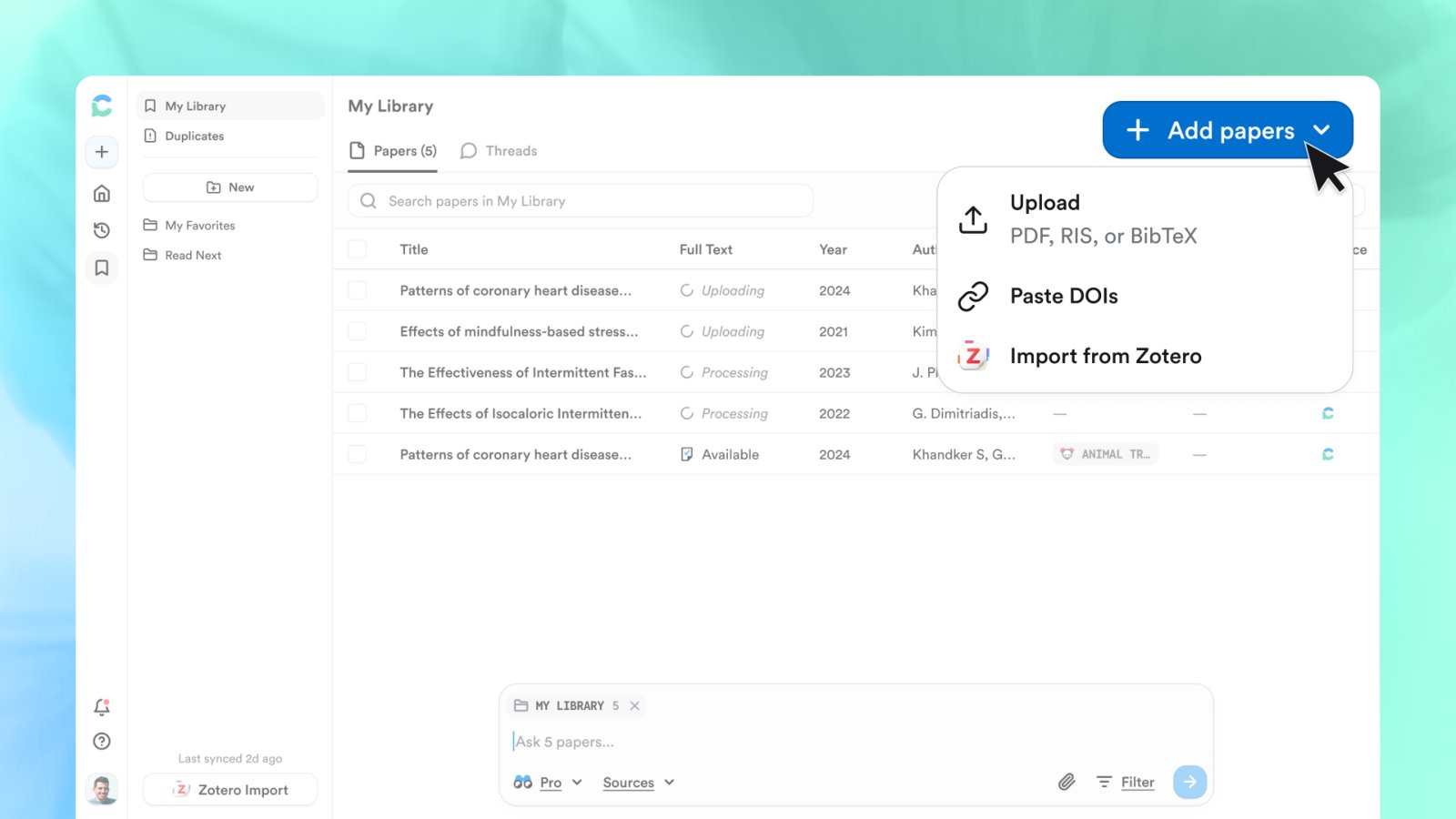
Upload PDF, RIS, or BibTeX files, paste DOIs, or import from Zotero.
Import from Zotero
Import from Zotero
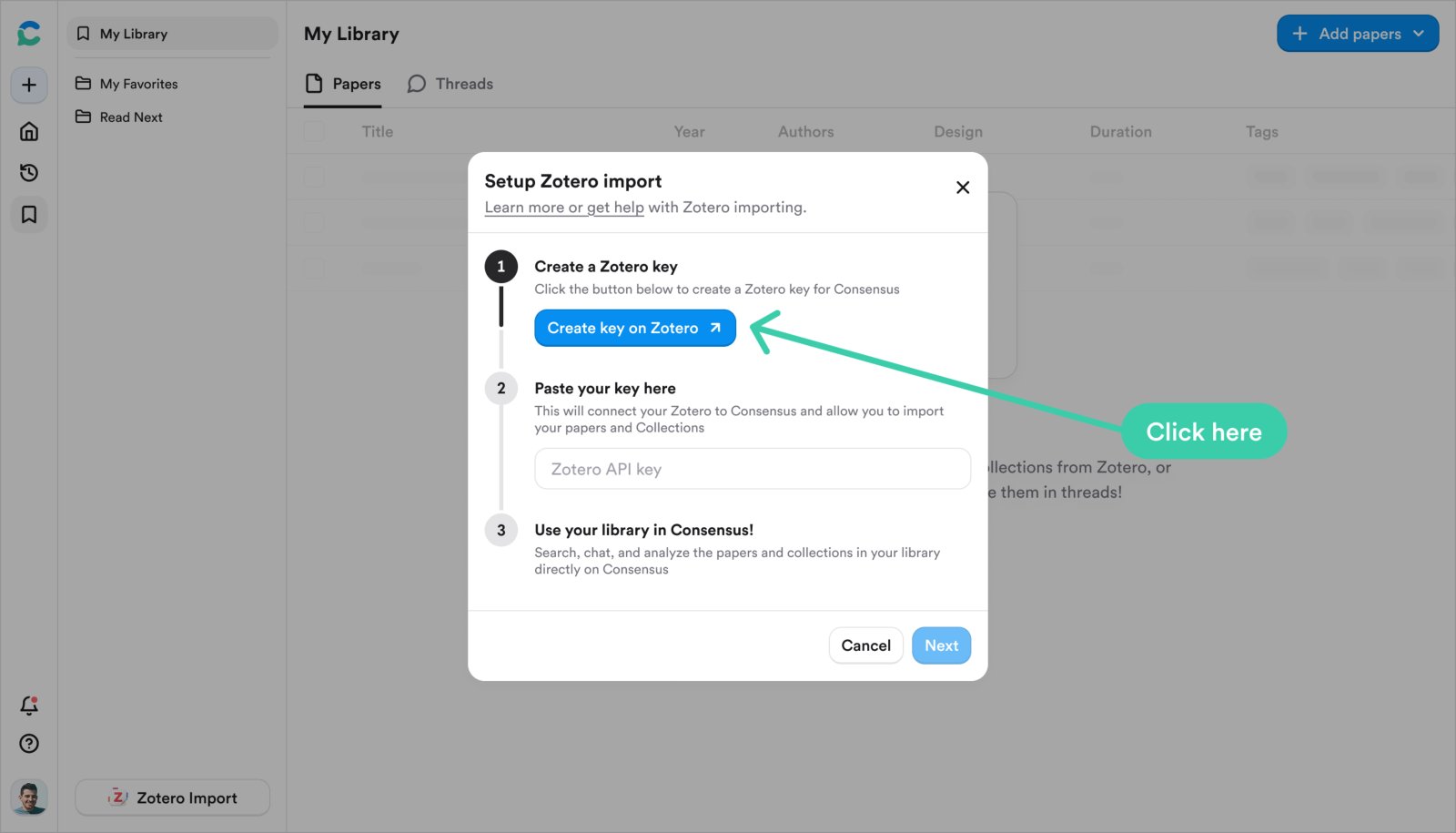
- Click Import Zotero and then Create key on Zotero. Zotero opens a pre-filled New Key page titled “Consensus”.
- Click Save Key and copy the key; it’s shown once.
- Paste it into Consensus, click Next, review the collections it found, and click Import Zotero library.
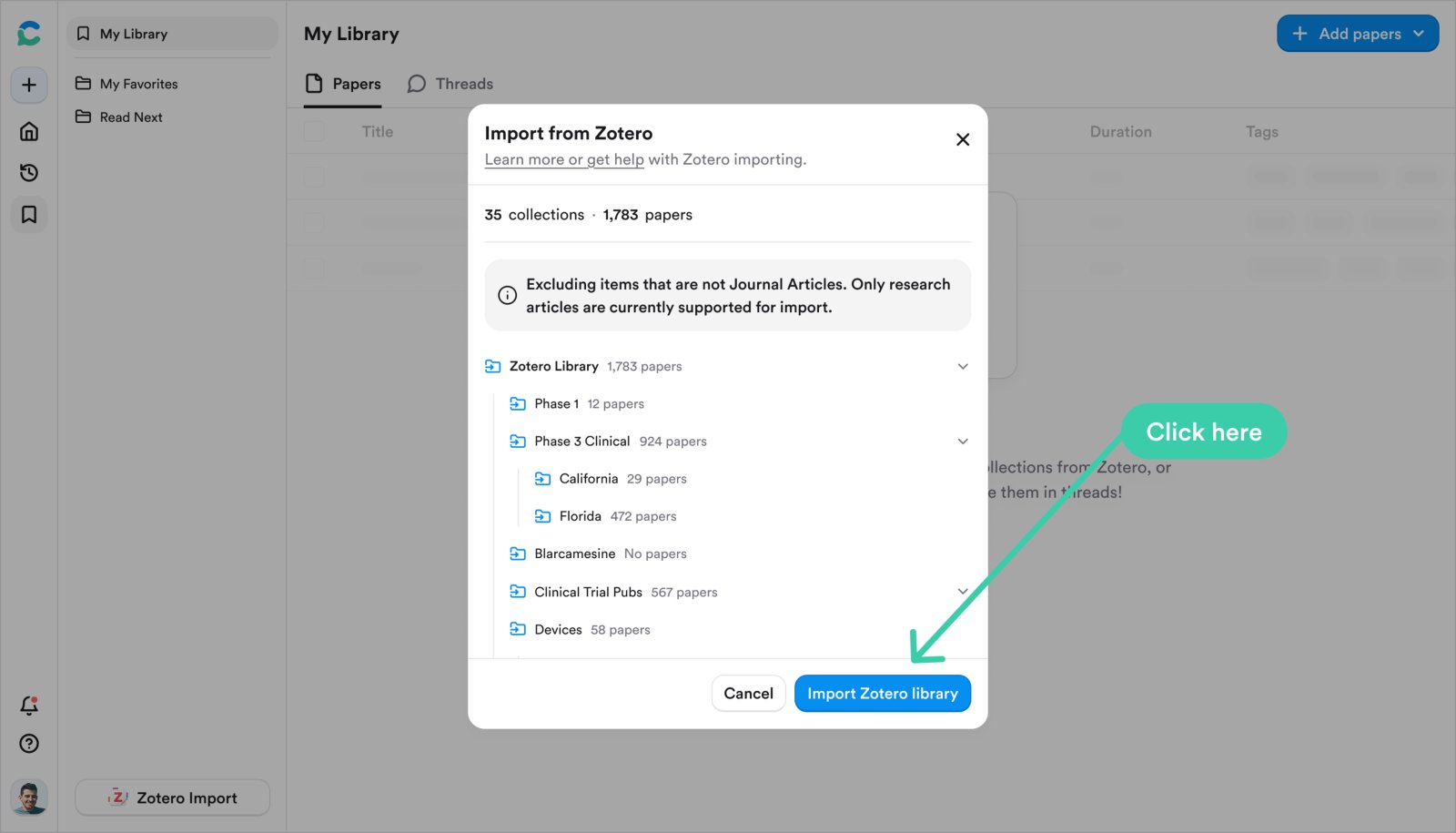
Review your Zotero collections before importing. Only journal articles are used in search.
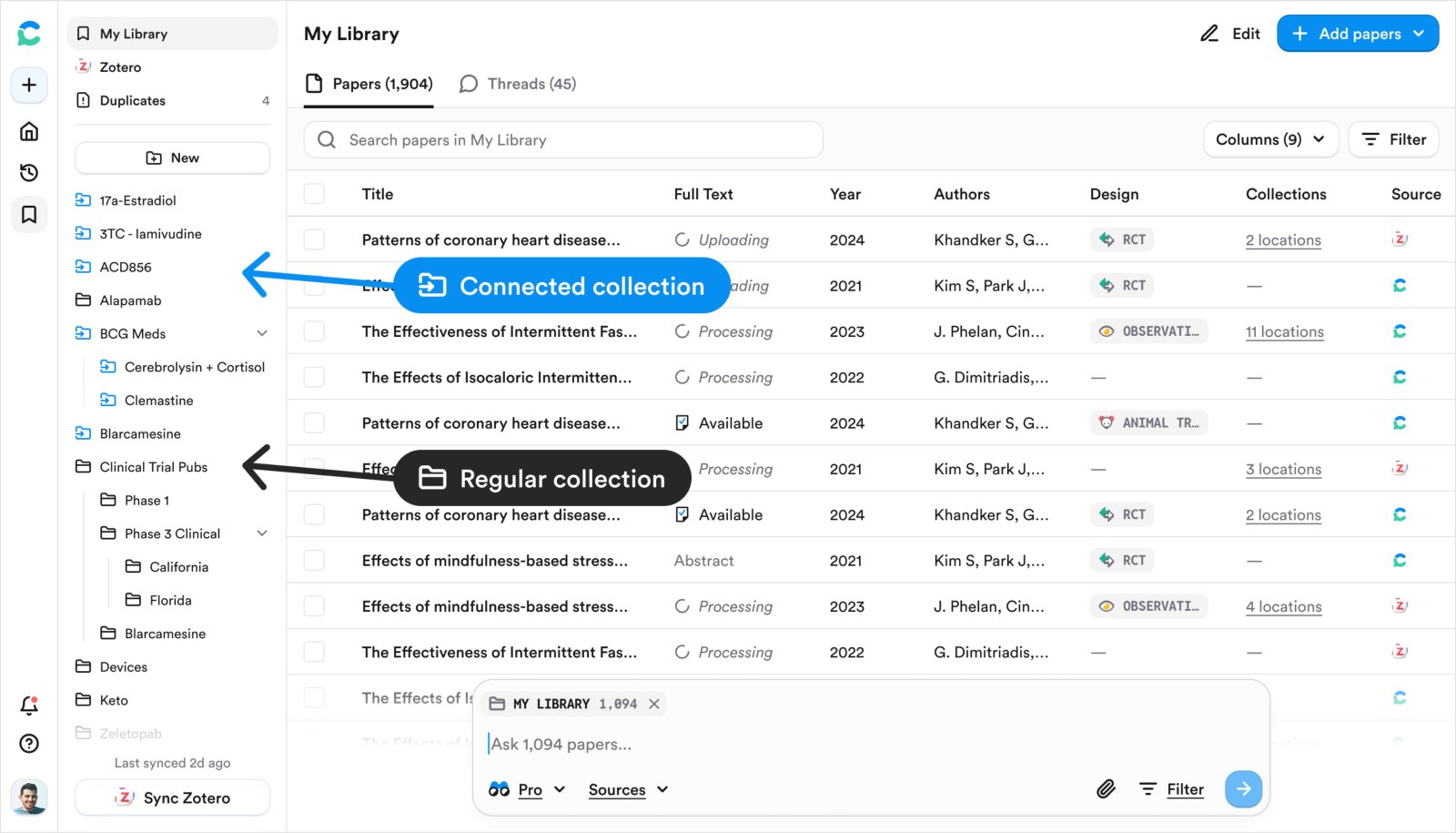
Connected collections (blue) next to regular collections.
Upload files
Upload files
Up to 20 PDFs at a time, 50 MB each, text-based (scanned or image-only PDFs can’t be processed). RIS and BibTeX files import their references. Uploads are private unless you share a Collection containing them.
Ask a Collection from inside My Library
Open the Collection and type in the search bar at the bottom. The Collection is attached automatically, so only its papers are used. From the main search page, click + to attach a Collection or Corpus › My Library for everything you’ve saved. Both run as Pro or Deep messages.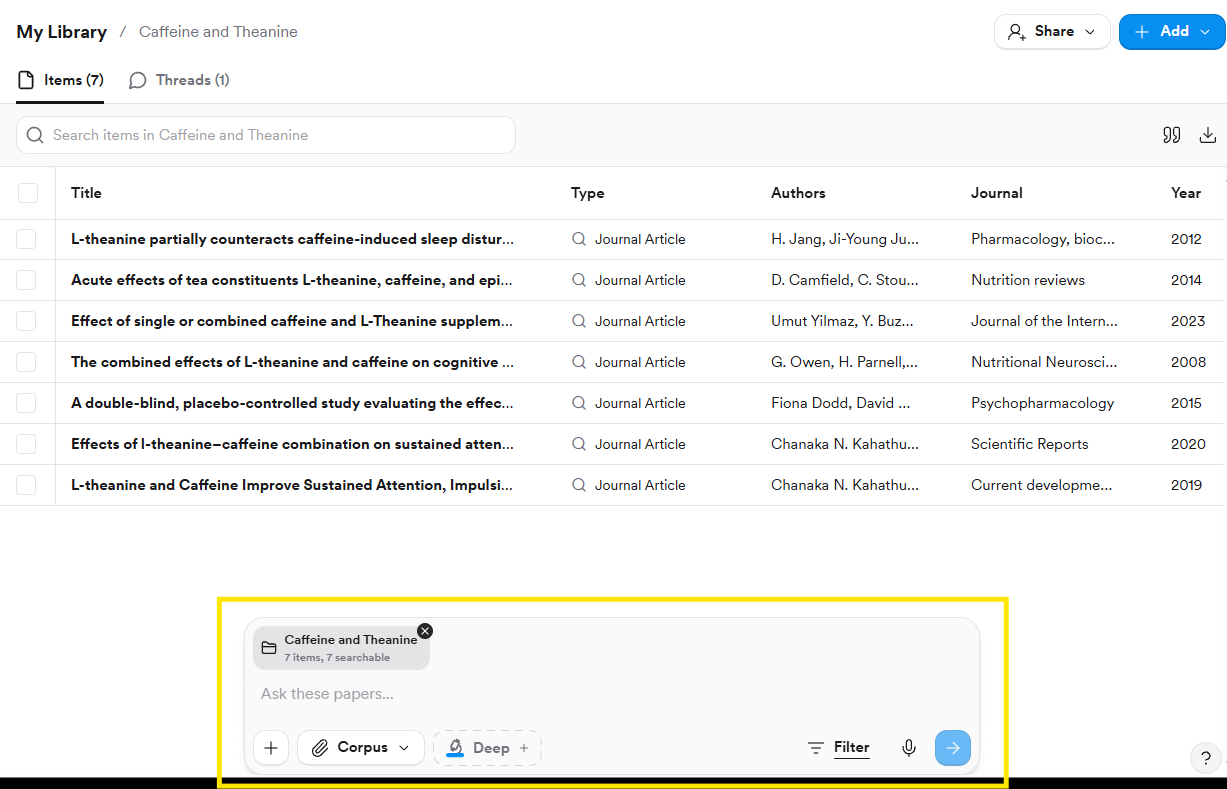
Inside a Collection, the search bar is already scoped to its papers.
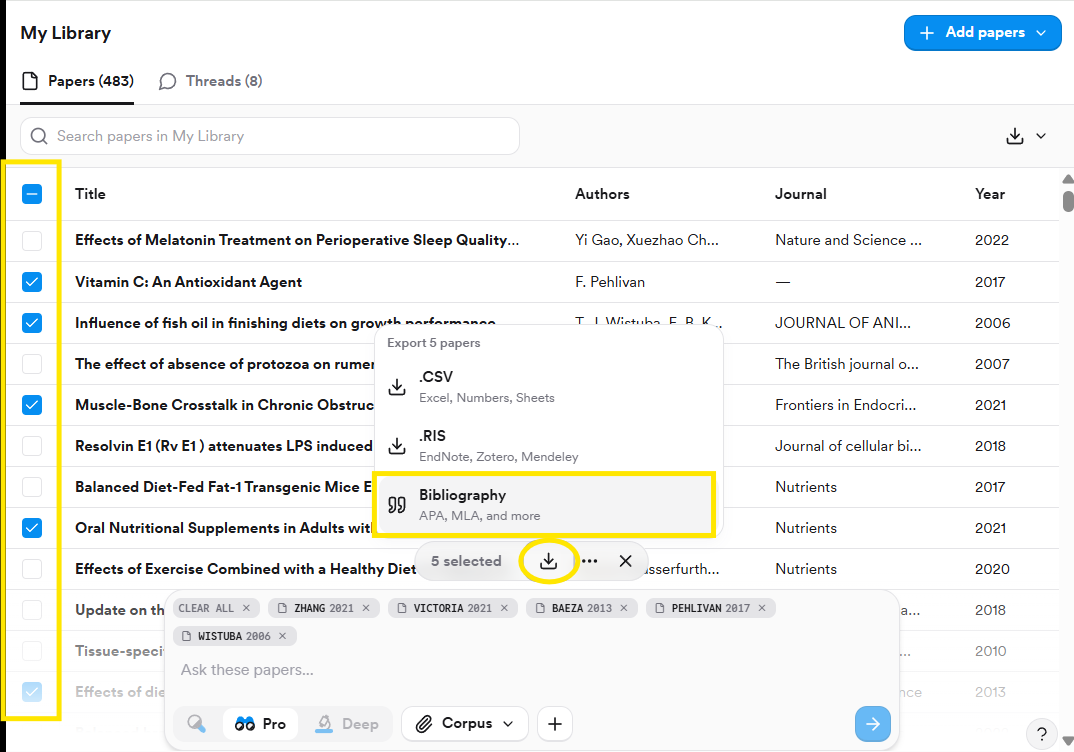
Save several results at once
Select papers in the References panel or in My Library, then use the download arrow to export a Bibliography, CSV, or RIS, or the bookmark to file them into a Collection.