Some of the best research comes from porting a method between disciplines, but first you have to learn what keywords the other field uses. Consensus figures out the connections for you. The example: a physicist working on ultrasound in heterogeneous materials looks for applications in medical imaging.
You’ll learn how to:
- Lay the foundation of a thread in your source field
- Run a cross-domain search into a target field
- Generate a research gaps matrix and find potential collaborators
Step 1: Establish the source field
Open a thread on the core topic so Consensus has the foundation for the follow-ups.Step 2: Cross into the target field
Step 3: Map the gaps
Step 4: Find collaborators
The video description mentions convolutional neural networks and medical imaging; the recorded demo uses ultrasound physics and tissue heterogeneity.
Threads keep the whole investigation together
Each follow-up runs inside the same thread, so Consensus carries forward what it learned. Type in Ask a follow up… at the bottom of the page; you can apply filters to a follow-up too.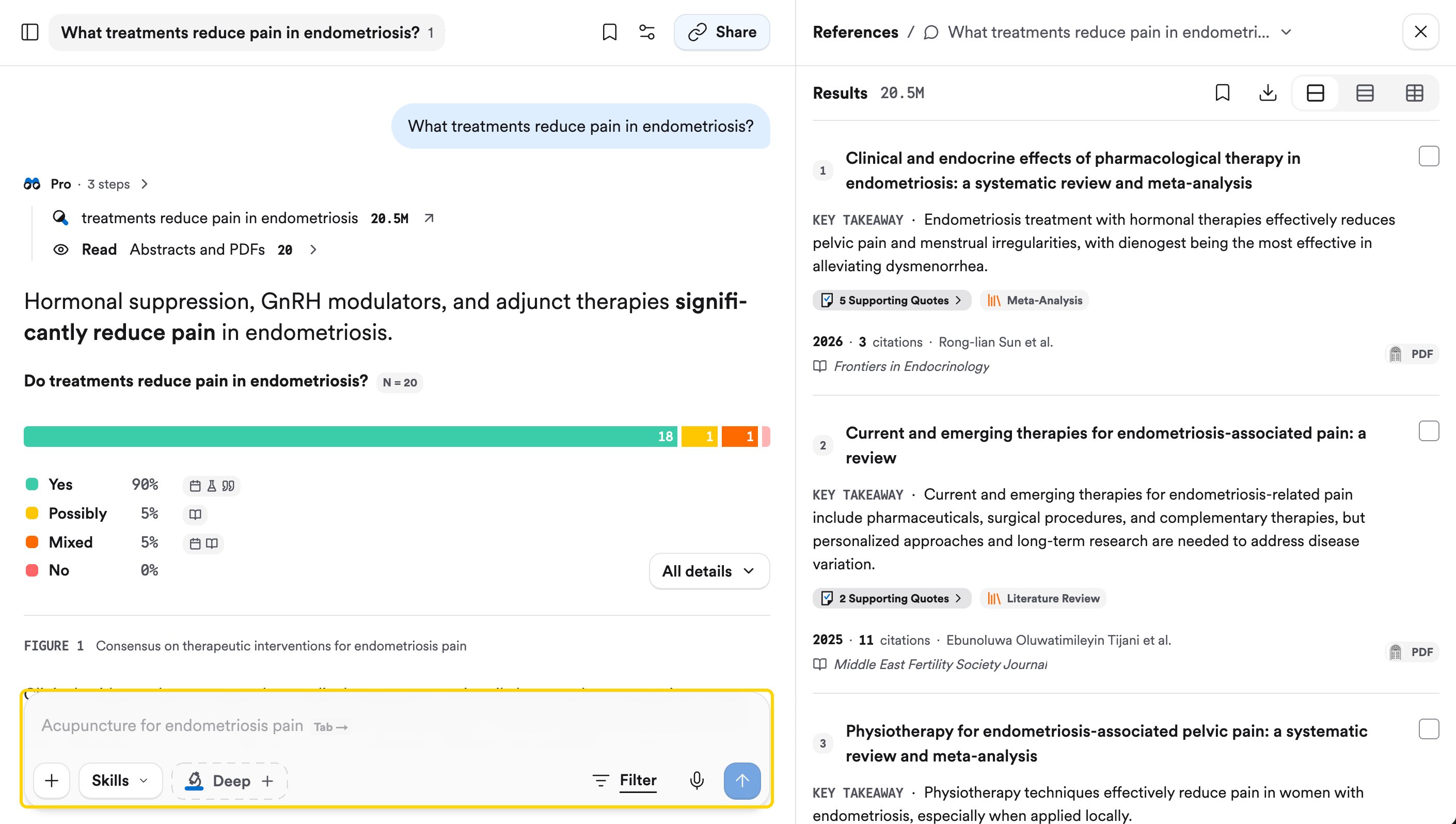
- Start a fresh thread with + New Thread or Cmd/Ctrl + K.
- Click the thread title to rename it, jump between queries with the target icon, or delete a query with the three-dot menu.
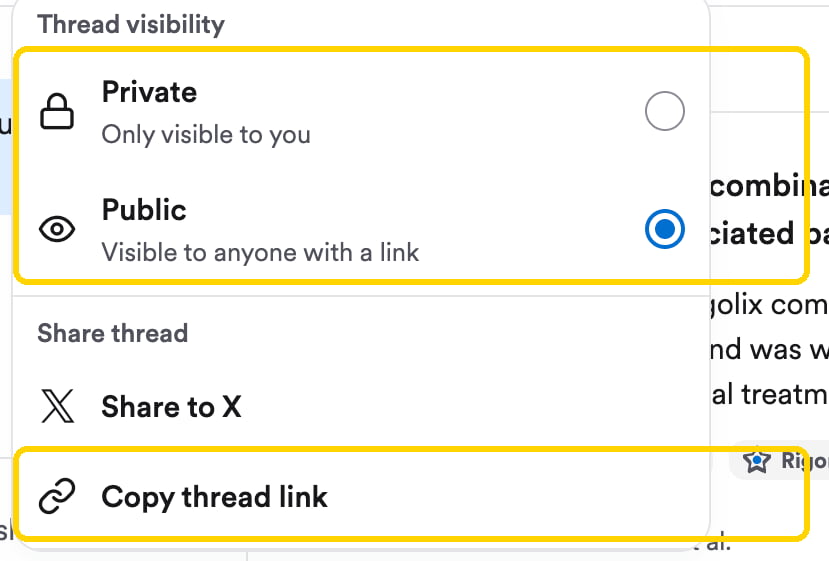
- Click Share, set visibility to Public, and Copy thread link to send the whole investigation to a collaborator.
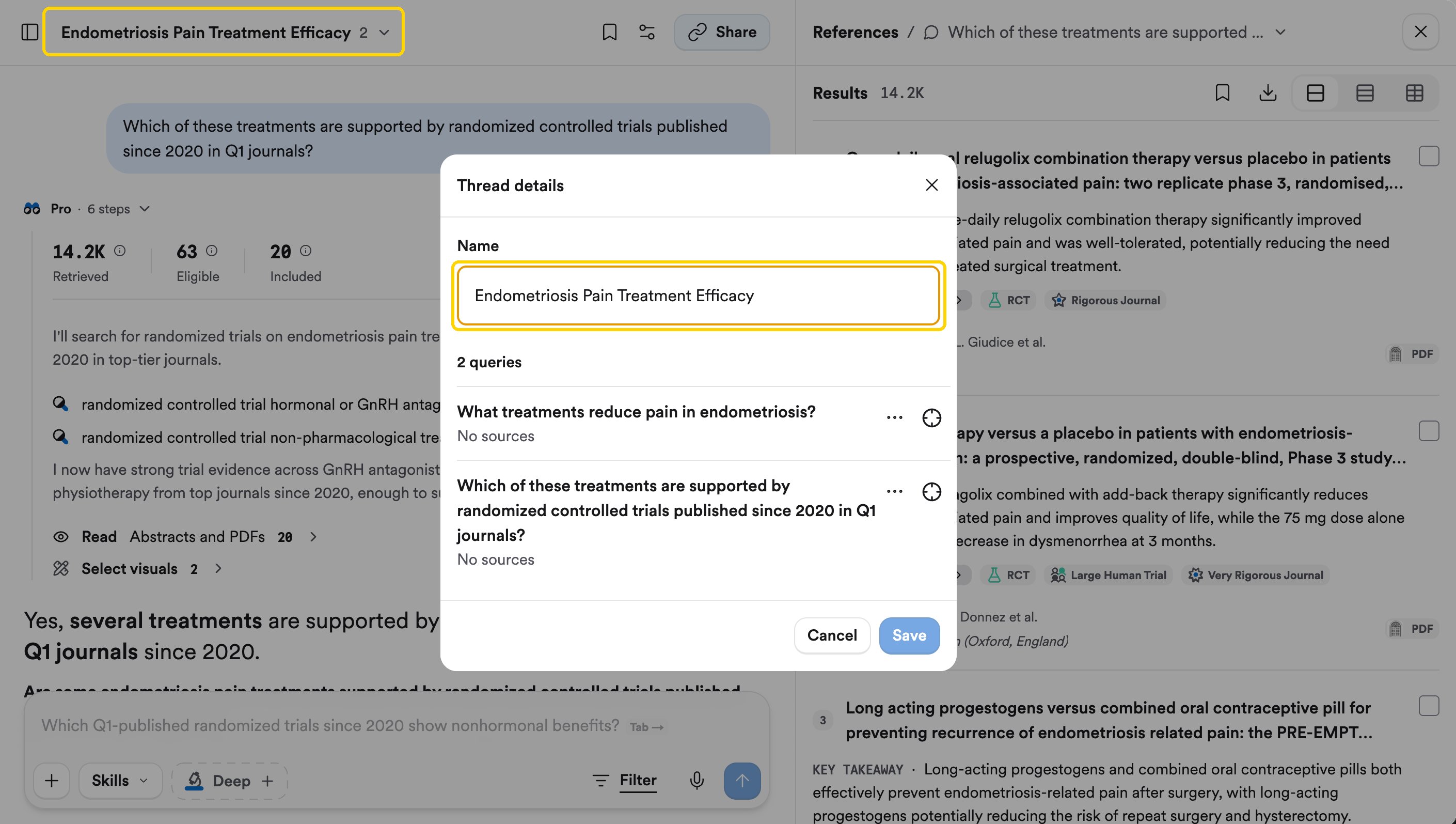
Thread details: rename the thread and manage its queries.