
Step 1: Attach the paper
There are three ways:- From a citation. Hover a citation in the answer and click Ask.
- From your results. Tick the box next to a paper in the References panel.
- From the search bar. Click +, then Attach papers or collections to pick papers from your Library, or Upload papers to add a PDF.
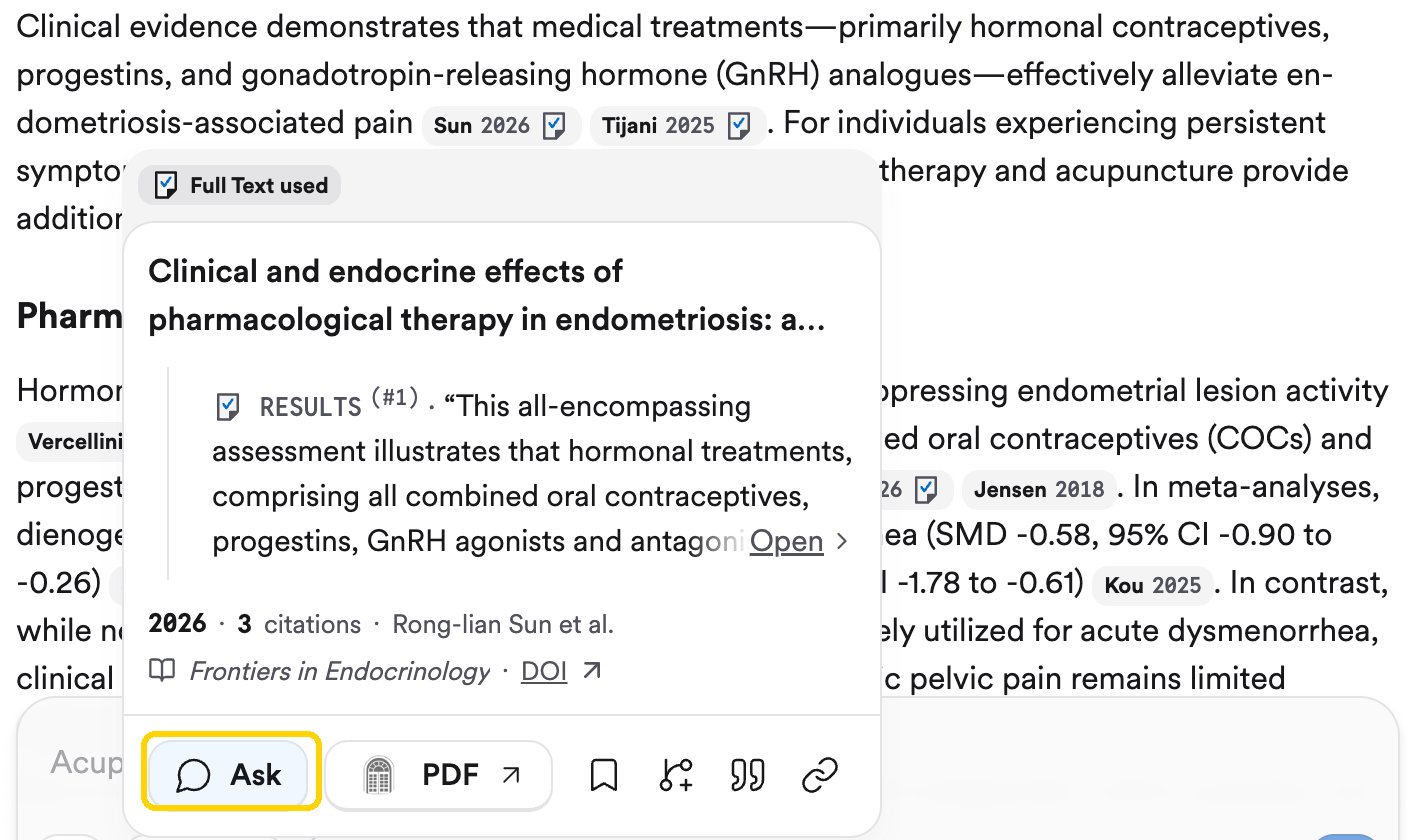
Hover a citation and click Ask to attach that paper.
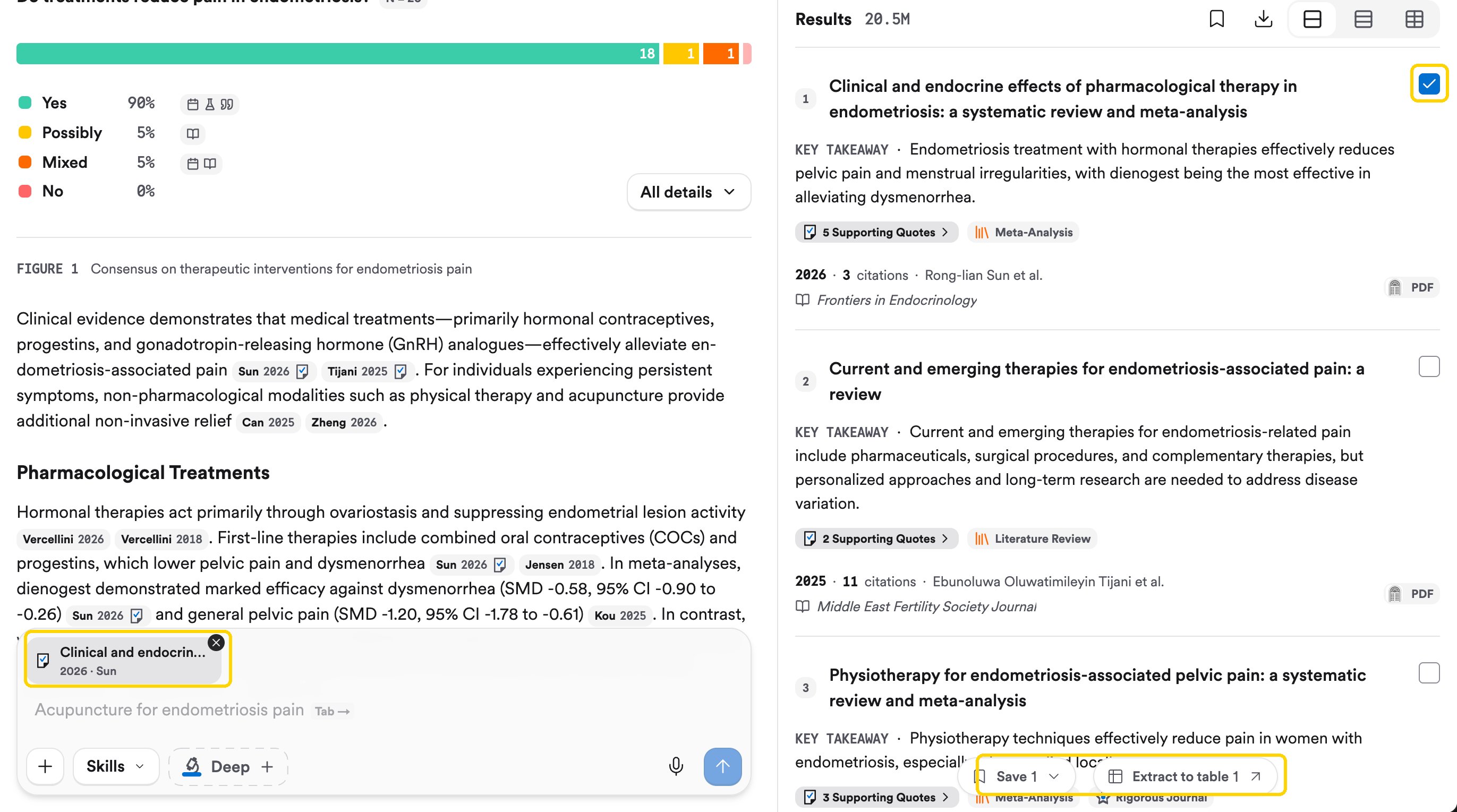
The attached paper sits above the search bar. Ticked papers can also be saved or extracted to a table.
Step 2: Ask about it
Questions that work for almost any study:Step 3: Check the answer against the paper
Hover a citation in the answer to see the quote it came from. To read it in context, click the paper’s Supporting Quotes, open the Attachment tab to see the PDF, and pick a quote from the menu at the bottom to highlight it. Read the surrounding paragraph yourself. This is the habit that makes AI a learning tool rather than a shortcut.Try it on your topic
Attach one of the key papers from Read a Consensus answer and ask the five questions above.You should now have: a 3-line summary of one key paper in your own words: what they did, what they found, and the main limitation.
Go deeper: full text and paywalls
Go deeper: full text and paywalls
Answers are best when Consensus has the full text. See Read the full paper for where full text comes from, and how to connect your university library for links to papers it subscribes to.