
Run a skill
1
Open Skills
Click Skills in the search bar.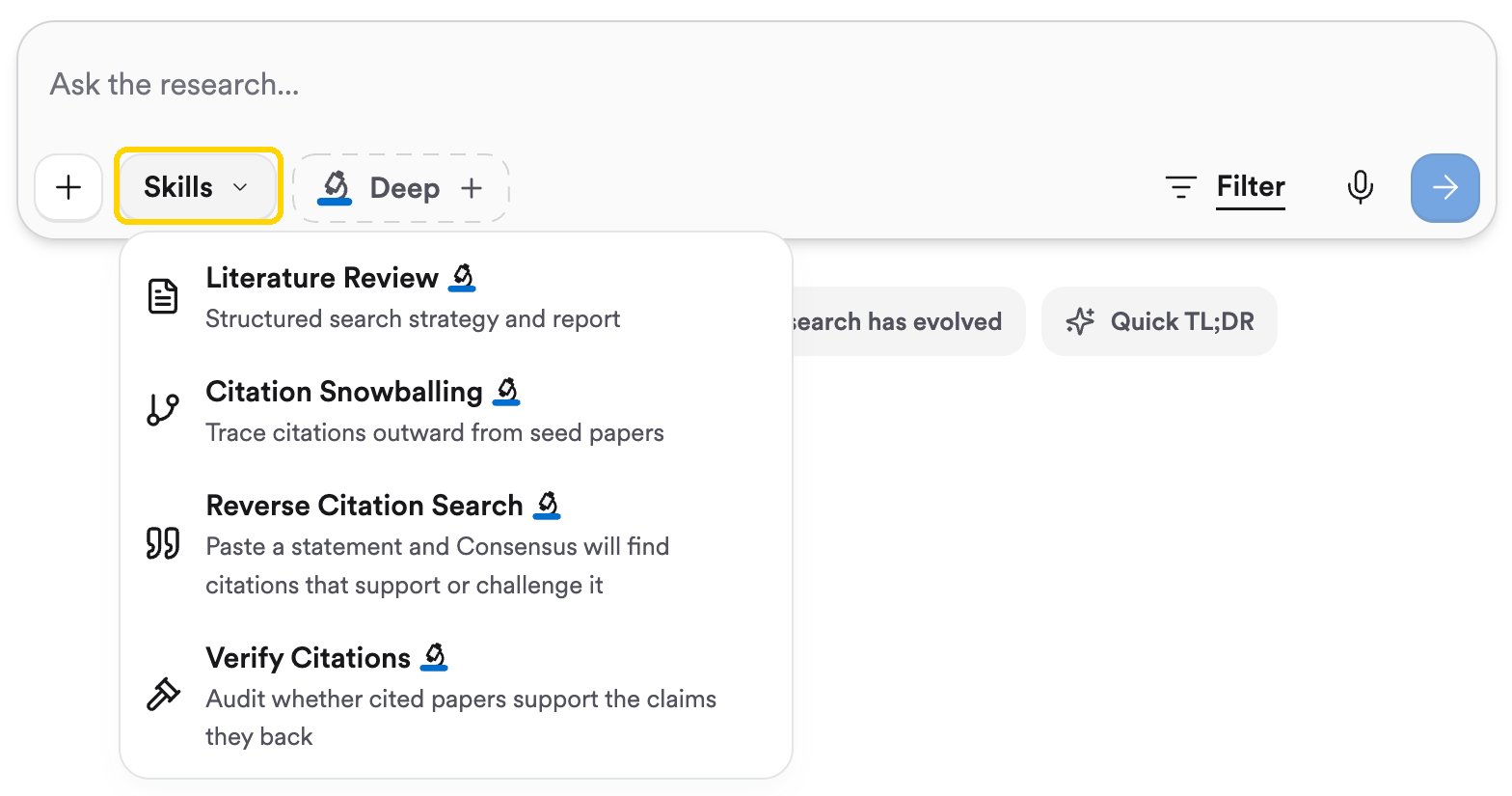
2
Pick a skill
Choose one of the skills below. The Skills button changes to show the skill’s name, and Deep turns on automatically, because every skill runs as a Deep Review.
3
Type your topic, or try an example
Each skill shows a few TRY prompts under the search bar. Click one to see how the skill works, or type your own topic and press Enter.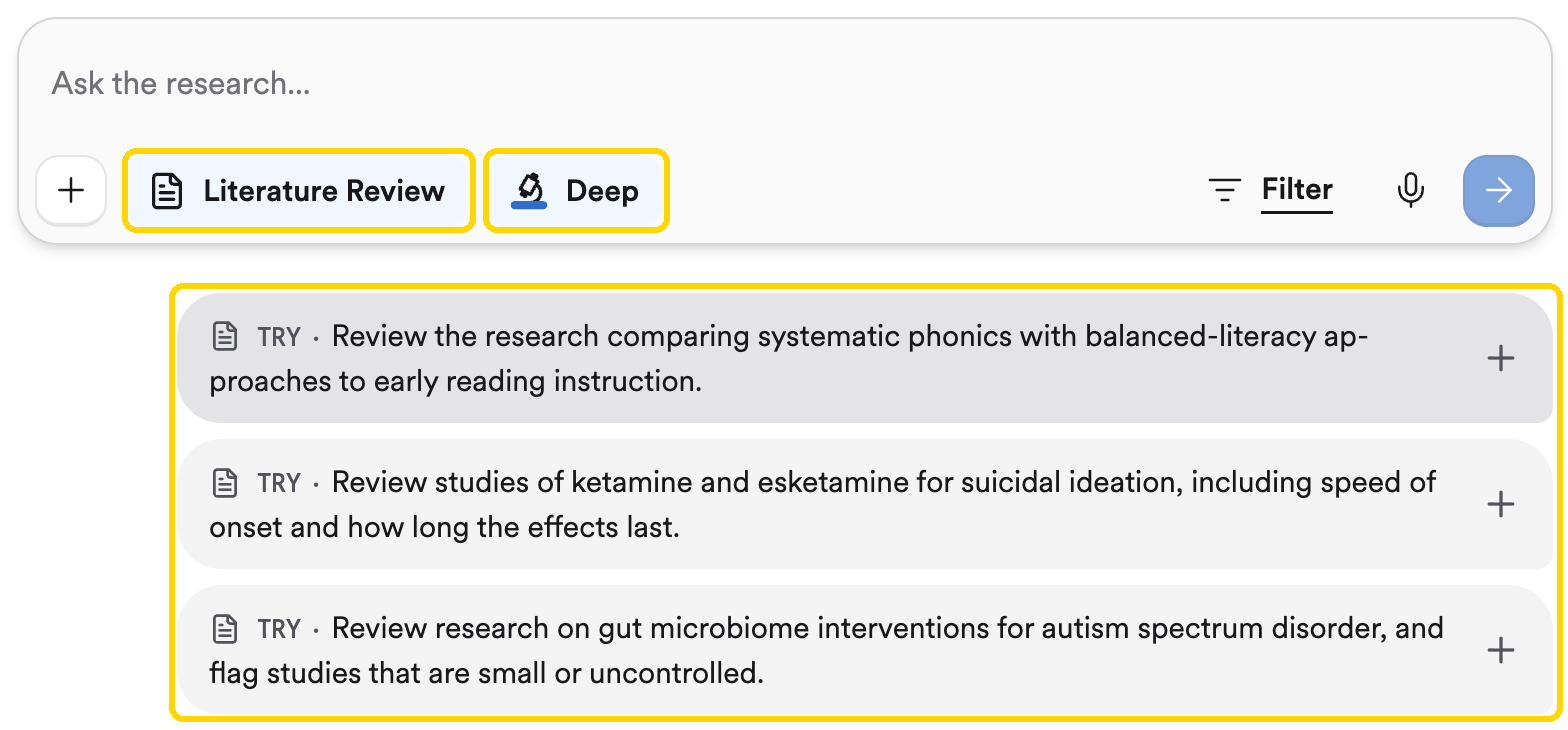
Because skills run as Deep Reviews, each one uses a Deep Review from your plan: 3 per month on Free, 15 on Pro, and 200 on Deep.
Skills in the search bar
Skills for AI assistants
If you use Consensus inside an AI assistant such as Claude or ChatGPT (see Use Consensus in ChatGPT, Claude or Copilot), Consensus also publishes skills you can run there:Literature review helper
Surveys an unfamiliar field, breaks your question down with a framework like PICO, searches systematically, and writes a research guide.
Syllabus reading list
Turns a course syllabus into a reading list of recent papers, with a plain-language summary and a discussion question for each.
Grant finder
Positions a research idea, maps it to the right NIH institutes and funding mechanisms, and finds funded projects that overlap with it.