
What it does
- Plans multi-step searches. Breaks a complex question into sub-questions and runs targeted sub-searches when a single query isn’t enough.
- Applies filters in plain language. Stack recency, journal quartile, citation count, sample size, study type, and population by describing what you want. Research Agent picks the right filters automatically.
- Traces authors and citations. Give it a DOI, a paper title, or an author name to explore co-authors, influential papers, and how the work developed over time.
- Excludes what you don’t want. Filter out the wrong population, methodology, publication type, or author.
- Carries context between searches. Follow-up questions build on the previous search, so you can refine, pivot, and synthesize without starting over.
- Reads and compares papers. Reads full text where available, surfaces relevant findings, and builds comparison tables across studies.
- Finds gaps. Detects missing populations or research areas in a Library collection or set of papers.
Effort levels
You choose how much work Research Agent does with the Deep toggle in the search bar. Every level searches the same 400M+ papers; higher levels run more searches and read more papers before answering.How to use it
1
Open Consensus
Go to consensus.app.
2
Ask your question
Type a question, topic, messy prompt, or Boolean-style query in the search bar. Research Agent handles all three.
3
Send the message
By default the message runs as a Pro message. Click Deep to upgrade it to a Deep Review for a longer, more comprehensive analysis.
4
Follow up
Ask a follow-up in the same thread. Research Agent keeps the context, so “now only Q1 journals” or “exclude animal studies” just works.
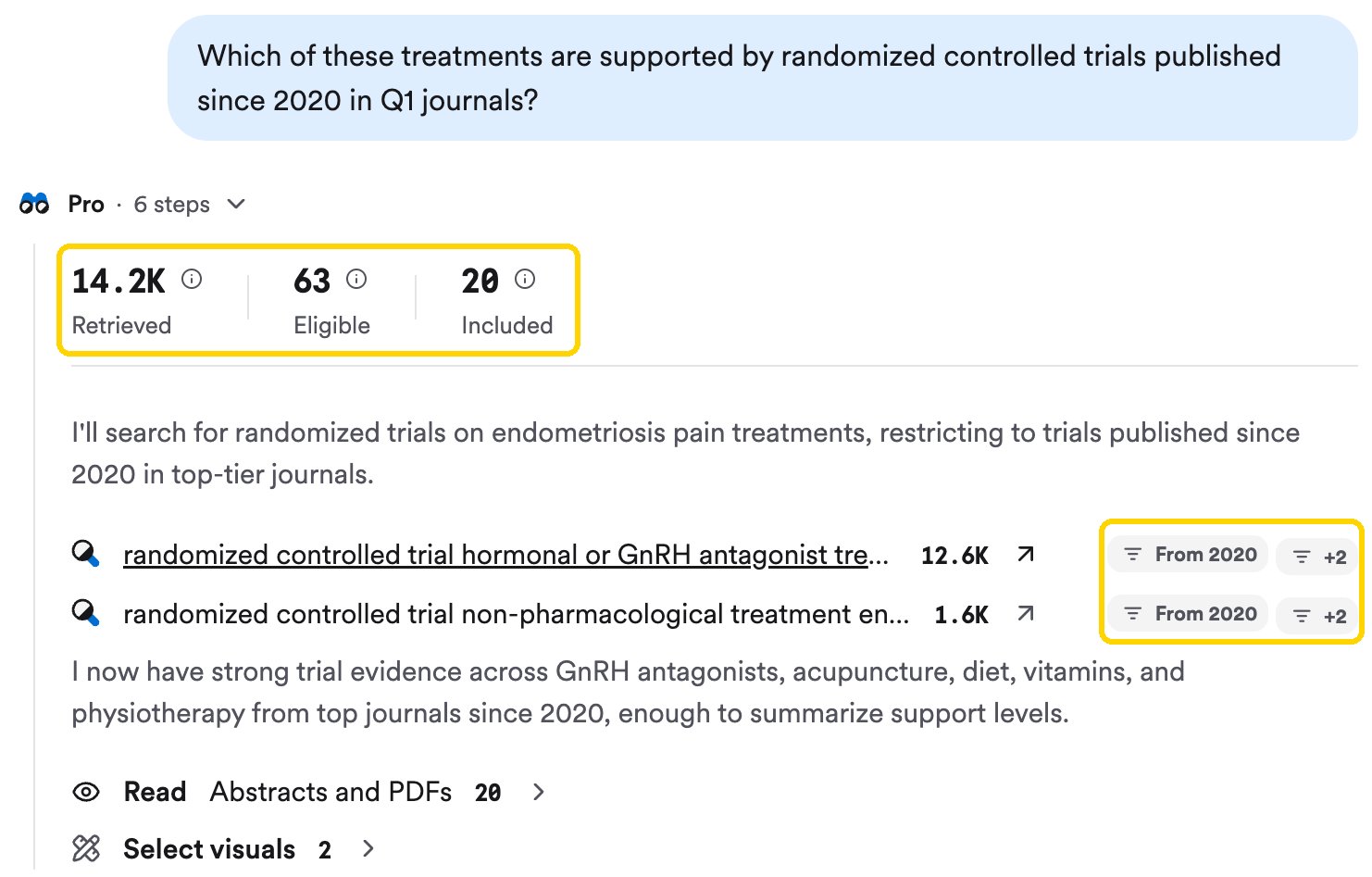
Every answer opens with the agent's trace: papers retrieved, eligible, and included, plus each sub-search and its filters.
Example prompts
What you get back
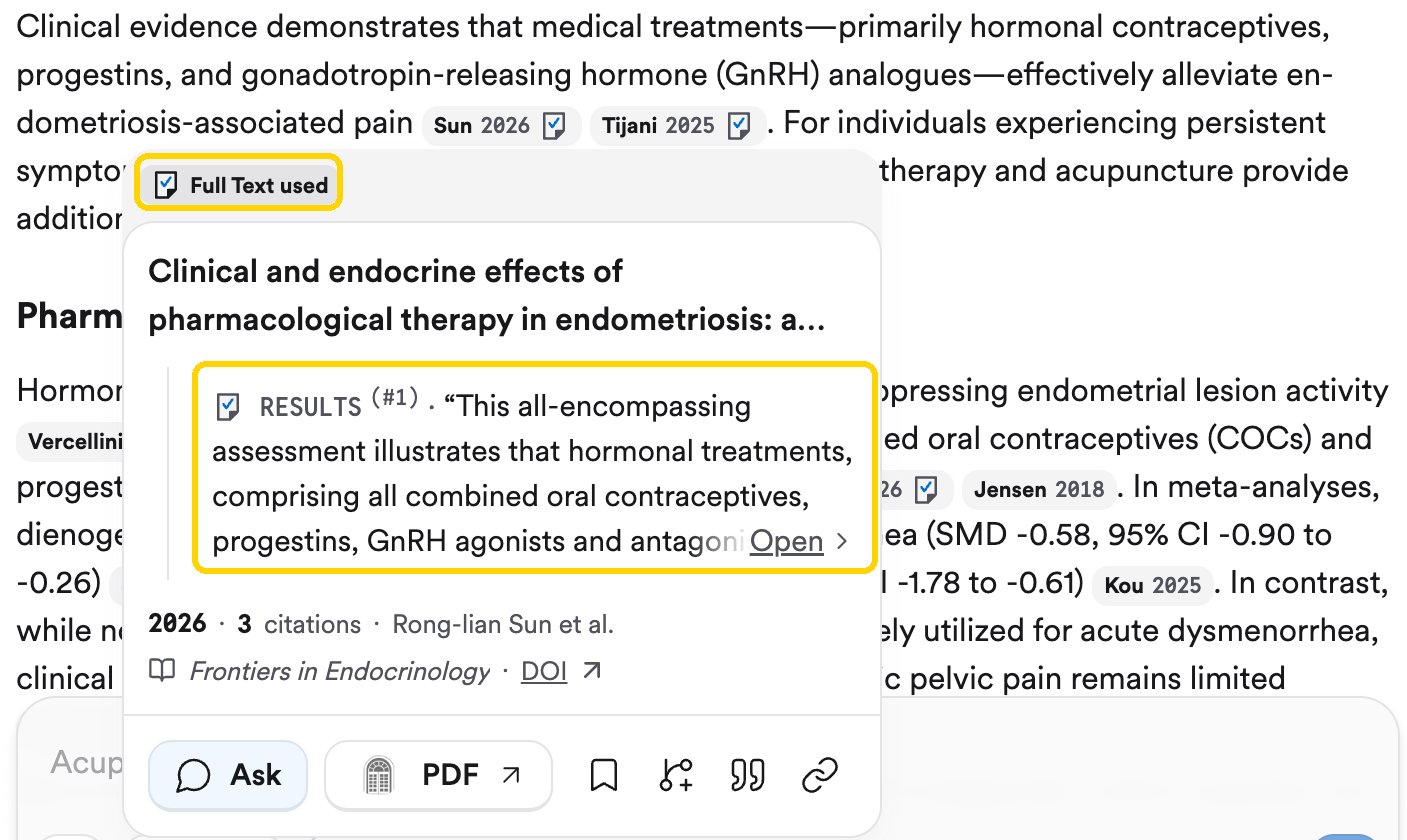
Hover a citation to see its card. Full Text used means the paper's full text was analyzed.
- Consensus Meter — a “yes or no” visualization showing where the research leans.
- Claims & Evidence table — strength of support, reasoning, and key papers for each claim.
- Research Gaps heat map — areas with limited research.
- Results timeline and a TL;DR header.
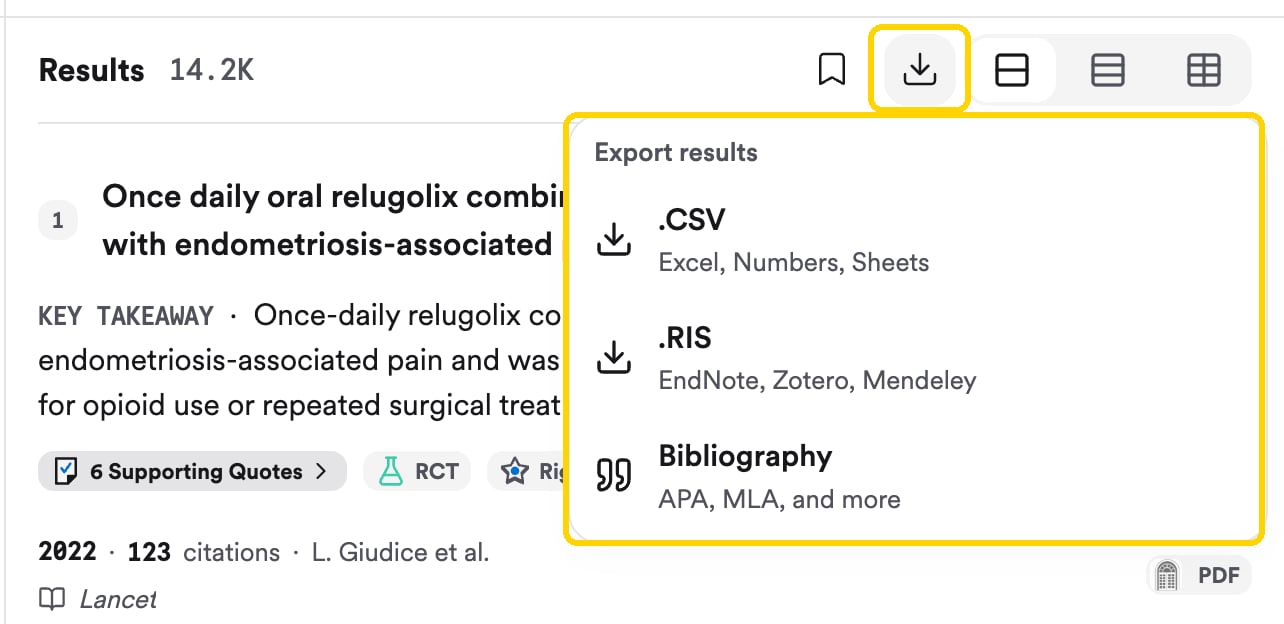
Availability
Research Agent runs in both Pro and Deep modes.You can also run Research Agent from your AI assistant or code. The MCP server and API run it as a Thread, alongside the underlying paper search.
Under the hood
Research Agent is a multi-agent system. A planning agent breaks down your question and decides which actions to take; a search agent combs the paper index, your private Library, and the citation graph; a reading agent interprets papers individually or in batches; and an analysis agent synthesizes the results and composes the answer. If no relevant studies meet its quality threshold, it says so rather than inventing an answer.Related
Deep Review
The longer, more robust version of a search: 50 to 100 papers.
Check a claim against the paper
See the exact quote behind every citation.