My Library is where you save, organize, and work with research in Consensus. Store papers, searches, and uploaded documents in Collections, import from Zotero, and chat with everything you’ve collected.
My Library is a reference manager that goes beyond storage. Save papers and searches, upload your own PDFs, import your Zotero library, then search and reason across everything you’ve collected.Library is included on every plan. It’s private by default.
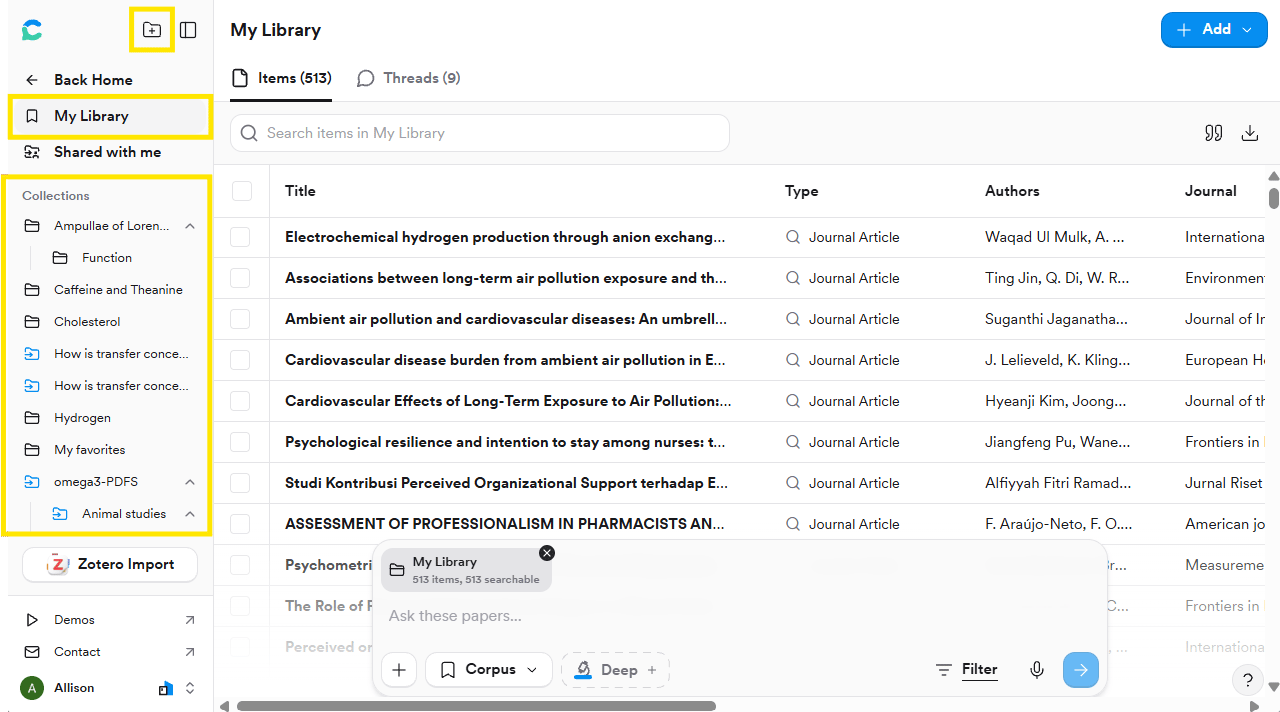
Save items to My Favorites or create custom Collections by topic, project, or question. Collections can be nested: when you create one, pick a parent under Create in.Inside a Collection, sort by Title, Authors, Journal, Year, DOI, Design, or Saved date.
Collections live in the left sidebar; the folder-plus button creates a new one.
Click + Add in the top-right corner of My Library and choose:
Upload files
Upload PDF, RIS, or BibTeX files, up to 20 at a time. Published papers work, and so do your own documents: manuscripts, proposals, dissertations, clinical protocols, and private reports.Uploads must be text-based PDFs under 50 MB. Scanned or image-only PDFs can’t be processed.
Paste DOIs
Paste one or more DOIs to add the matching papers.
Import from Zotero
Click Import Zotero, create an API key on Zotero (the form is pre-filled), paste the key, and import. Both personal and group libraries are supported, with no size limit.
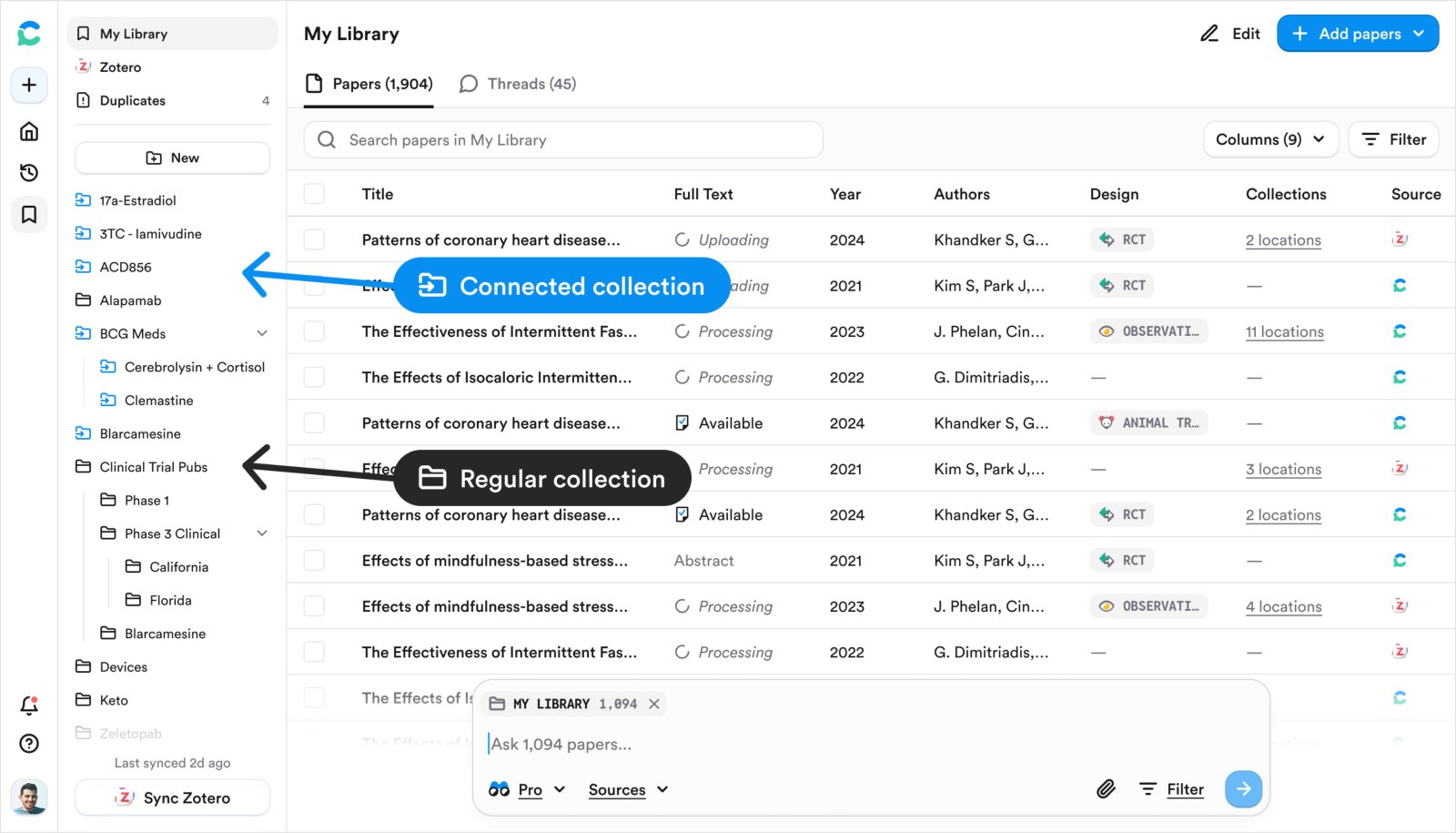
Connected collections (blue) keep your Zotero structure; regular collections are black.
Imported collections appear as blue Connected collections that preserve your Zotero folder structure. Import is one-way and manual: re-import to pull in anything added since your last import. Only journal articles are used in search and analysis, and only PDFs stored in Zotero (not externally linked files) are imported.
Save from search
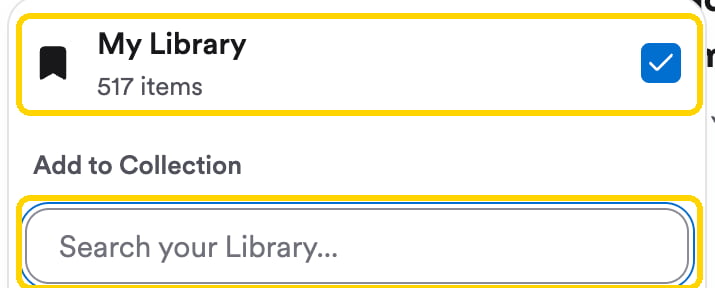
Open a paper (click its Supporting Quotes in References, or Ask on a citation) and click Save. The paper is added to My Library straight away. Tick a Collection in the same menu to file it there too, or type in the search box to find one. To save a whole search, click the bookmark at the top of the thread.
From a new search, click + › Search corpus › My Library to search everything you’ve saved, or + › Attach papers or collections to pick a specific Collection or set of papers.
From inside My Library, ask a question in the search bar at the bottom of the page. It says Ask these papers… and is already scoped to your Library; inside a Collection, it uses only that Collection.
Inside My Library, the search bar is already scoped to your saved papers.
Both Pro and Deep modes work on your Library. A Deep Review over a Collection analyzes up to 50 papers and can produce PICO or SPIDER reviews, reading lists, scoping maps, and custom reports.Things people ask their Library:
Which papers in this collection support the claim that [statement]?
Build a table showing which of these studies support or challenge [hypothesis].
What populations am I missing in this collection?
Chatting with a Collection or your Library runs as a Pro or Deep message and uses those credits. See Research Agent for plan limits.
Click Share on a Collection to invite people by email or copy an invite link. Viewers can read the papers and run searches on the Collection; Editors can also rename it, add sub-Collections, and add or remove papers. Anyone without an account is prompted to create a free one. Shared Collections appear under Shared with me.Saved threads inside a Collection aren’t shared.